
If your customers already message on Telegram, the fastest win is not another tool. It is knowing the right mobile steps to add Telegram business contacts, keep them organized, and reply without exposing more personal data than necessary.
This guide gives you a practical 2026 workflow for adding contacts by phone number, username, QR code, invite link, and business profile touchpoints. It also explains where Telegram Business features fit, how contact sync affects privacy, and what to do when contacts do not appear.
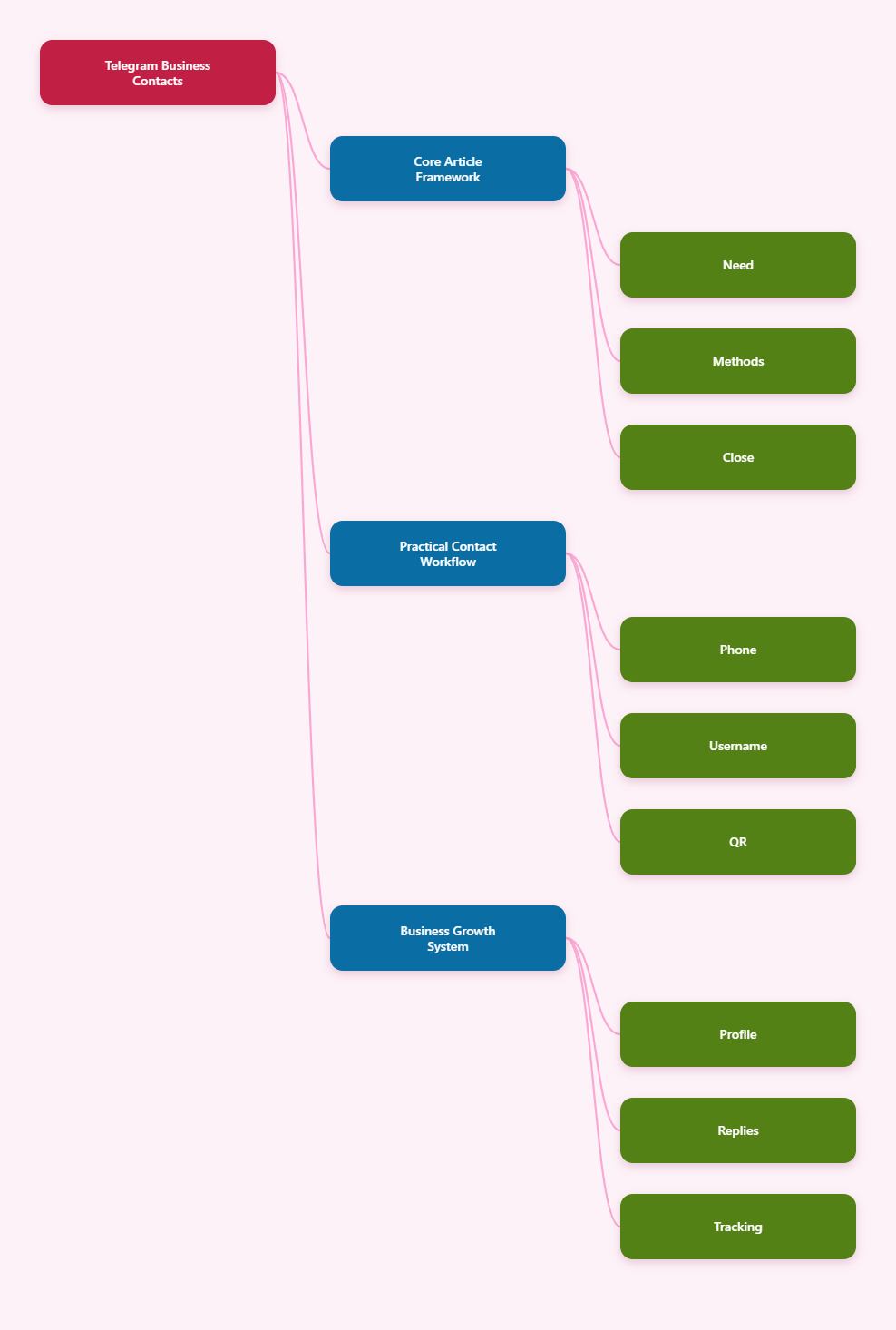
Why Telegram Business Contacts Matter in 2026
Telegram is useful for business because it supports direct conversations without forcing every customer into email forms or slow ticket queues. A customer can tap a link, scan a QR code, search a username, or reply from a group or channel.
That flexibility creates a problem. If every lead enters your phone in a different way, your contact list becomes messy fast.
A strong Telegram contact workflow helps you:
- Capture leads quickly after events, calls, ads, and website visits.
- Reduce missed replies with quick replies, greeting messages, and away messages.
- Protect privacy by using usernames, links, and number visibility settings carefully.
- Segment conversations by buyer stage, region, language, or support need.
- Avoid spam-like behavior that can damage trust or trigger restrictions.
Telegram Business is not a separate app. It is a set of business-facing features inside Telegram, with availability tied to Telegram’s current rules, subscription options, region, and client support.
Before you scale contact outreach, update the app, review your privacy settings, and decide whether the account is personal, business-facing, or team-managed.
Mobile Steps to Add Telegram Business Contacts Safely
The best method depends on what information you have. A phone number works well for known customers, while a username, QR code, or t.me link is better when you do not want to exchange numbers.
Use this table as your quick decision guide.
| Method | Best Use Case | Privacy Level | Key Risk |
|---|---|---|---|
| Phone number | Existing customers or consented leads | Lower | Number exposure and wrong-format entries |
| Username | Networking, creators, public profiles | Higher | Must type the exact username |
| QR code | Events, stores, packaging, printed materials | Higher | Code must point to the right profile or link |
| t.me link | Websites, ads, email signatures, social bios | Higher | Broken usernames after rebranding |
| Contact sync | Large existing phone address books | Lower | Uploads contacts and may add unwanted names |
1. Add a Contact by Phone Number
Use phone numbers only when the person has given you the number for business communication. This is the cleanest option for clients, suppliers, appointment leads, and repeat buyers.
On mobile, the general flow is:
- Open Telegram on Android or iPhone.
- Go to Contacts or tap the compose icon.
- Choose New Contact.
- Enter the customer’s name and phone number in international format.
- Save, then open the chat if the account appears.
International format matters. Add the country code, remove leading local-only zeros when needed, and check the number before saving.
If the person does not appear, they may not use Telegram, may have restricted discovery by phone number, or the number may be saved incorrectly.
2. Add a Contact by Username
Usernames are better for privacy because neither side needs to share a phone number. They are also ideal for public-facing business profiles, creators, consultants, and community managers.
From mobile:
- Tap Telegram search.
- Enter the exact username, usually starting with @.
- Check the profile photo, bio, mutual groups, or business details.
- Open the profile and start the conversation.
- Use Add to Contacts if you need to save the person.
Do not rely on similar-looking names. Telegram usernames are unique, but display names are not.
For business use, ask customers to send their username through your form, checkout page, booking tool, or support intake. That reduces mistakes and keeps the first message expected.
3. Add Contacts with QR Codes
QR codes are useful when the customer is standing in front of you. They work well at trade shows, clinics, cafes, real estate viewings, workshops, and local service appointments.
A Telegram QR code normally points to a Telegram profile, group, channel, bot, or invite link. Many users can also access their own QR code from the Telegram mobile app near their profile or username area, depending on the app version.
For business, place the QR code where the next action is obvious:
- Reception desk: “Message us for support.”
- Product packaging: “Get setup help on Telegram.”
- Event badge: “Scan to connect.”
- Restaurant table card: “Ask today’s specials.”
- Webinar slide: “Join the Telegram update list.”
Before printing, test the code on iPhone and Android. Confirm it opens the correct Telegram destination and does not require unnecessary steps.
4. Add Contacts Through t.me Links
A t.me link is one of the simplest ways to let people contact a Telegram account without showing a phone number. The common format is https://t.me/username.
Use this link in places where users already click:
- Website contact buttons
- Landing pages
- Email signatures
- Instagram, X, TikTok, or LinkedIn bios
- Invoices and customer onboarding emails
For a public business account, choose a username that is short, readable, and close to the brand name. If the username changes, update every button, QR code, and automated message that uses it.
A t.me link does not automatically make someone a saved contact. It starts the conversation, and you can save the person after the chat begins if that is useful.
Set Up Telegram Business Before You Scale Contacts
Adding contacts is only half the job. The bigger opportunity is turning the profile into a trustworthy business entry point.
Telegram Business features are designed for this. Official materials describe options such as opening hours, location, quick replies, greeting messages, away messages, start pages, chatbot support, and labels.
Complete Your Business Profile
Start with the basics because new contacts judge the account before they reply. A blank profile can feel risky, especially when the customer did not save your number first.
Set up:
- Profile name that matches your brand or representative role.
- Profile photo with a logo, founder image, or recognizable mark.
- Bio that explains what you help with.
- Business hours so users know when to expect replies.
- Location if you serve customers in person.
Keep the bio specific. “We help Shopify stores with Telegram support” is clearer than “Best solutions for your business.”
Use Quick Replies for Repeated Questions
Quick replies save time when customers ask the same questions every day. They are especially helpful on mobile because typing long answers from a phone slows the team down.
Create quick replies for:
- Pricing and service packages
- Shipping or appointment details
- Refund and return policies
- Booking links
- Support escalation steps
Write them like real messages, not scripts. Add the customer’s name or context before sending when possible.
Good quick replies reduce response time without making the chat feel robotic.
Turn On Greetings and Away Messages
Greeting messages help new contacts understand what to send first. Away messages set expectations when nobody can reply immediately.
A practical greeting might say:
“Hi, thanks for messaging BrightDesk. Please send your order number or a short description of the issue, and we’ll help from here.”
A practical away message might say:
“We’re currently offline. Our usual reply time is 9:00–18:00, Monday to Friday. Please leave your request and we’ll reply as soon as we’re back.”
Do not promise 24/7 support unless you can deliver it. The purpose is trust, not fake availability.
Organize New Telegram Business Contacts After Adding Them
A contact is only useful if you can find the conversation later. After you add or receive a Telegram contact, create a simple naming and labeling routine.
Telegram Business supports chat organization features such as labels in supported clients. Even without advanced tools, you can still manage contacts with names, pinned chats, folders, and clear notes in your own CRM.
Create a Contact Naming Rule
Use a naming pattern that helps you recognize the person later. This is especially important when several customers have similar names.
Examples:
- “Maya Chen – Wholesale Lead”
- “Daniel R – Shopify Support”
- “Amira – Dubai Event”
- “Luca – March Webinar”
Avoid adding private notes that the customer could misunderstand if exported or shared internally. Keep labels professional and minimal.
Segment by Intent
Not every contact deserves the same follow-up. Separate people based on what they want.
Useful segments include:
- New lead for people who asked a first question.
- Active customer for current buyers or subscribers.
- Support case for open issues.
- Partner for suppliers, affiliates, or collaborators.
- Do not contact for opt-outs or poor-fit leads.
This keeps business messaging respectful. It also prevents the common mistake of treating every Telegram contact like a broadcast audience.
Move Important Data to Your CRM
Telegram is excellent for conversation, but it should not be the only place where business data lives. If a chat includes an order number, support issue, quote request, or contract detail, record it in your CRM or help desk.
At minimum, save:
- Telegram username or profile link
- Customer name
- Source of contact
- Consent or reason for contact
- Next follow-up date
This protects the business if a phone is lost, an employee leaves, or a chat becomes hard to search.
Privacy Rules Every Business Should Check
Telegram contact growth should not come at the cost of user trust. Before collecting or saving contacts, review phone number visibility and contact sync settings.
Telegram’s privacy area lets users control who can see a phone number and who can find the account by number. Exact labels can vary by platform and version, but the settings are usually under Settings > Privacy and Security.
Hide or Limit Phone Number Visibility
For a business-facing account, consider setting phone number visibility to Nobody or My Contacts, depending on your use case. If customers can reach you by username or t.me link, they do not need your private number.
Also review who can find you by phone number. A stricter setting is useful when the account belongs to a founder, consultant, or staff member using a personal SIM.
Privacy settings should match the brand promise. If you tell customers to message a public business profile, the experience should not unexpectedly expose personal details.
Understand Contact Sync
Contact sync can make Telegram convenient because phone contacts appear in the app. It can also upload contacts you did not intend to use for business.
Use contact sync when:
- You manage a dedicated business phone.
- Your phone address book contains consented business contacts.
- You want existing customers to appear automatically.
Be careful with contact sync when:
- You are logged in on a shared or borrowed phone.
- Your phone mixes personal and business contacts.
- You imported a large list by mistake.
Telegram also provides options to delete synced contacts in the mobile app. This is useful if unwanted contacts appear after using another device.
Avoid Aggressive Adding
Do not add or message large numbers of people who did not expect to hear from you. Even when a method is technically possible, it may still feel intrusive.
A safer rule is: only add contacts when there is a clear relationship, request, purchase, meeting, or opt-in.
For campaigns, use public channels, groups, bots, forms, or links that let users start the conversation themselves. That creates a cleaner consent trail and better response quality.
Troubleshooting: Contacts Not Showing on Telegram
If a saved contact does not appear, do not assume Telegram is broken. Most issues come from permissions, sync settings, number format, or the other user’s privacy choices.
Check App Permissions
On Android, go to system app settings, open Telegram, and confirm Contacts permission is allowed. On iPhone, open system Settings, find Telegram, and check whether Contacts access is enabled.
Then open Telegram and refresh the contact list. If permissions were blocked, the app could not read your phone address book.
Check Telegram Sync Settings
Inside Telegram, look under Privacy and Security for contact sync or data settings. On some iOS versions, contact options may sit under a Data Settings area.
Turn sync on only if you want Telegram to use your phone contacts. If you want a cleaner business account, keep sync off and add people manually by username, link, or number.
Fix Number and Account Issues
If permissions and sync are correct, check the number itself. Wrong country codes are a common reason contacts fail to match.
Also remember these limits:
- The person may not have a Telegram account.
- The person may restrict discovery by phone number.
- The contact may be saved under a duplicate record.
- The app may need an update or restart.
- Cached data may temporarily show old names.
If the relationship is active, ask the customer for their username or send your t.me link instead. That is often faster than debugging phone sync.
A 7-Move Telegram Business Growth Playbook
Once the basics are working, turn your contact process into a repeatable growth system.
Move 1: Build a Contact Entry Map
List every place where a customer can find you: website, receipts, packaging, ads, events, social profiles, email, and support pages. Add one clear Telegram entry point to each.
Move 2: Use Different Links by Intent
Send support users to a help-focused profile or bot. Send prospects to a sales conversation. Send community members to a group or channel.
Move 3: Ask One Opening Question
Do not make new contacts guess what to say. Use a greeting that asks for one useful detail, such as order number, budget, location, or preferred appointment time.
Move 4: Save Only Useful Contacts
You do not need to save every person who says hello. Save contacts that have business value, active cases, future follow-up, or a clear relationship.
Move 5: Reply With Templates, Then Personalize
Use quick replies for speed, but add context before sending. A small personal line often makes the difference between helpful and automated.
Move 6: Review Contacts Weekly
Clean duplicate names, close resolved support cases, update CRM records, and remove contacts that no longer need follow-up.
Move 7: Measure Conversation Quality
Track reply time, number of qualified leads, resolved support chats, and booked calls. Telegram growth is not about having the biggest contact list; it is about useful conversations.
Final Checklist for 2026
Telegram can be a strong business contact channel when it is set up with intention. The safest path is to make it easy for users to reach you, then save and organize only the contacts that matter.