
Telegram is no longer just a broadcast channel for crypto groups, startup communities, or niche newsletters. In 2026, it is a serious conversion layer for marketers who need direct conversations, fast qualification, and consent-based lead capture.
This guide explains how Telegram contact buttons work, what data can and cannot be collected, how to build a practical lead funnel, and where automation tools can reduce manual work without turning your community into a spam machine.
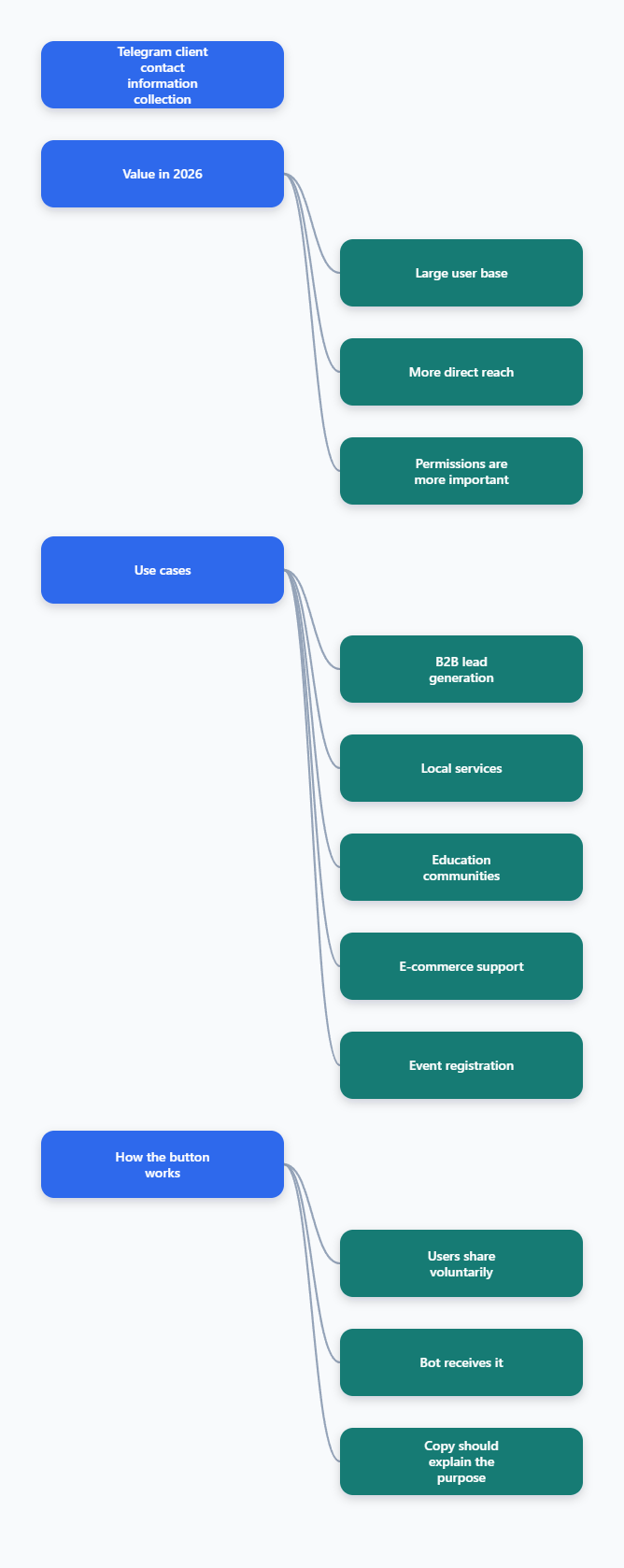
Why Telegram Contact Collection Matters in 2026
Telegram reached more than 1 billion monthly active users in 2025, according to public statements reported by TechCrunch. For marketers, that scale matters because Telegram combines broadcast reach, group discussion, bot automation, and private chat in one environment.
Unlike social feeds, Telegram does not rely on a typical discovery algorithm to decide whether your subscribers see a message. If people join your channel or start your bot, you have a more direct path to attention.
That directness creates opportunity, but it also raises the bar for permission. Users expect useful updates, clear context, and respectful data requests. A contact button should feel like a service step, not a trick.
The strongest use cases usually appear in:
- B2B lead qualification after a webinar, report, or pricing request.
- Local service bookings where a phone number is needed for confirmation.
- Education, coaching, and community programs that need follow-up calls.
- Ecommerce support where order, delivery, or warranty help requires identity checks.
- Event registration flows where Telegram becomes the reminder and support channel.
What Does a Telegram Button Collect Client Contact Info Flow Actually Do?
A Telegram button collect client contact info flow usually uses a bot message with a custom reply keyboard. One button asks the user to share their contact. If the user taps it and confirms, Telegram sends the user’s contact card to the bot.
This is not the same as secretly pulling a phone number from a Telegram ID. Telegram’s Bot API documentation and developer discussions are clear: bots cannot automatically access a user’s phone number. The user must share it through a contact request button or type it manually.
That distinction is important for compliance and conversion. If your copy says, “Tap to share your phone number so our advisor can confirm your demo time,” the user understands the exchange. If your bot asks without context, drop-off and complaints rise.
What the button can request
- A user’s own phone contact through a contact request button in private chat.
- Location through a separate location request button, if relevant and clearly explained.
- Typed fields such as email, company size, budget, or preferred time zone.
- Button-based answers such as interest level, product category, or language preference.
What the button cannot do
- It cannot silently extract a phone number from a Telegram profile.
- It cannot read a user’s contact list.
- It cannot access old private messages outside the bot interaction.
- It cannot collect sensitive data ethically without disclosure and purpose.
Telegram Button Collect Client Contact Info: Best Funnel Design
The best Telegram lead funnels do not start with “give us your phone number.” They start with a reason. In 2026, users are more skeptical of bots, giveaways, fake support accounts, and phishing-style prompts.
A better structure is value first, contact second, follow-up third. This keeps the experience natural and improves the quality of collected contacts.
- Entry point: A channel post, ad, QR code, website CTA, or group message invites users to start the bot.
- Value promise: The bot explains what the user will receive, such as a checklist, quote, consultation, or event seat.
- Light qualification: The bot asks one or two low-friction questions before requesting contact details.
- Contact request: A Telegram button asks the user to share contact info with clear purpose text.
- Confirmation: The bot confirms the next step and expected response time.
- CRM or sheet sync: The team exports or routes the lead for follow-up.
Do not collect everything at once. A user who has not yet received value may not want to share a phone number, job title, budget, and location in a single screen.
Telegram Contact Button vs Forms vs Manual Chat
Marketers often ask whether they should use a Telegram button, a web form, or manual admin chat. The right answer depends on lead intent, privacy needs, and operational capacity.
| Method | Best For | User Friction | Data Quality | Key Risk |
|---|---|---|---|---|
| Telegram contact button | Phone-based follow-up, demos, bookings | Low when purpose is clear | High for phone number shared by user | Low trust if copy is vague |
| Web form | Long applications, legal consent, complex fields | Medium to high | Good if validation is used | Drop-off from leaving Telegram |
| Manual admin chat | High-ticket sales and sensitive support | Low for user, high for team | Variable | Slow response and missed leads |
| Mini App | Interactive product flows, ordering, dashboards | Medium | Strong when designed well | More development work |
For most channel operators, the contact button is the fastest first step. It keeps the user inside Telegram and reduces typing. For regulated industries or long applications, combine Telegram with a proper form and privacy notice.
How to Build a Consent-Based Contact Button Flow
You can implement the flow with a custom bot, a no-code automation stack, or a Telegram-focused tool. The logic is the same: ask for contact only after the user understands the benefit.
Step 1: Define the lead promise
Write one sentence that explains what happens after the user shares contact info. Examples include “Get a callback within one business day,” “Receive the wholesale price sheet,” or “Reserve your consultation slot.”
Step 2: Ask one qualifying question
Use buttons instead of open text where possible. A SaaS company might ask: “What are you looking for?” with options such as “Pricing,” “Demo,” “Integration,” and “Support.” This makes routing easier.
Step 3: Show the contact request button
The bot should display a short message before the button. Good copy is specific: “To send the demo reminder, please share your phone number. Telegram will ask you to confirm before sending it.”
Step 4: Store only what you need
At minimum, store the Telegram user ID, username if available, shared phone number, source campaign, selected interest, and timestamp. Avoid collecting extra fields just because the bot can ask for them.
Step 5: Confirm the next action
After the user shares contact info, reply immediately. Tell them whether they will receive a call, message, document, or booking link. Include timing to reduce duplicate messages.
Common Mistakes That Lower Contact Collection Rates
The biggest mistake is asking too early. If your first message is a phone request, users may assume the bot is spam or a phishing attempt. Give context before the button appears.
The second mistake is using vague button labels. “Submit” performs worse than a clear label such as “Share my phone for demo reminder.” The label should match the promised action.
The third mistake is mixing too many goals. A bot that asks for a phone number, email, country, budget, referral source, and product preference before giving anything back feels like a form disguised as chat.
A clean Telegram button collect client contact info flow usually has one main conversion goal. If you need more data, collect it later during sales qualification or onboarding.
Privacy, Compliance, and Trust Signals
Telegram’s consent model helps, but it does not remove your responsibility. If you collect phone numbers, you should explain why, how they will be used, and who will contact the user.
Use plain language. Avoid legal walls inside the chat, but link to a privacy policy when the use case requires it. For international audiences, consider GDPR, local telecom rules, and messaging consent requirements before adding contacts to external campaigns.
Trust signals that improve completion include:
- A recognizable bot name and profile image connected to your brand.
- A short reason before every sensitive data request.
- A confirmation message after data is shared.
- No surprise promotional calls unrelated to the original request.
- A simple way to stop future messages.
FAQ: Telegram Button Collect Client Contact Info
Can a Telegram bot collect a user’s phone number automatically?
No. A Telegram bot cannot automatically pull a phone number from a user ID or profile. The user must share the number through a contact request button or type it manually.
Is a Telegram button collect client contact info flow safe?
It can be safe when it is consent-based, clearly explained, and connected to a legitimate purpose. Users should know why they are sharing contact details and what happens next.
Does the contact request button work in groups?
Telegram contact request buttons are designed for private chat interactions with bots. For group traffic, send users to start the bot privately before requesting contact details.
What should I ask before requesting contact info?
Ask one or two intent questions, such as product interest, budget range, language, or preferred service. Do not overload the user before delivering value.
Can I use Telegram contact buttons for B2B lead generation?
Yes. B2B teams can use them for demo requests, quote requests, event follow-ups, and consultation booking. The strongest flows connect the button to a specific business outcome.
Final Thoughts
A Telegram button collect client contact info flow works best when it respects the user’s attention. The button is only one part of the system. The real conversion driver is the promise before the request and the follow-up after consent.