
If you want a dual Telegram app setup in 2026, the safest answer is not always “install a clone app.” Telegram already supports multiple accounts in its official apps, but the right method depends on your device, number of accounts, privacy needs, and workflow.
This guide explains the practical options for personal users, freelancers, community managers, support teams, and marketers who need to separate conversations without constantly logging out.
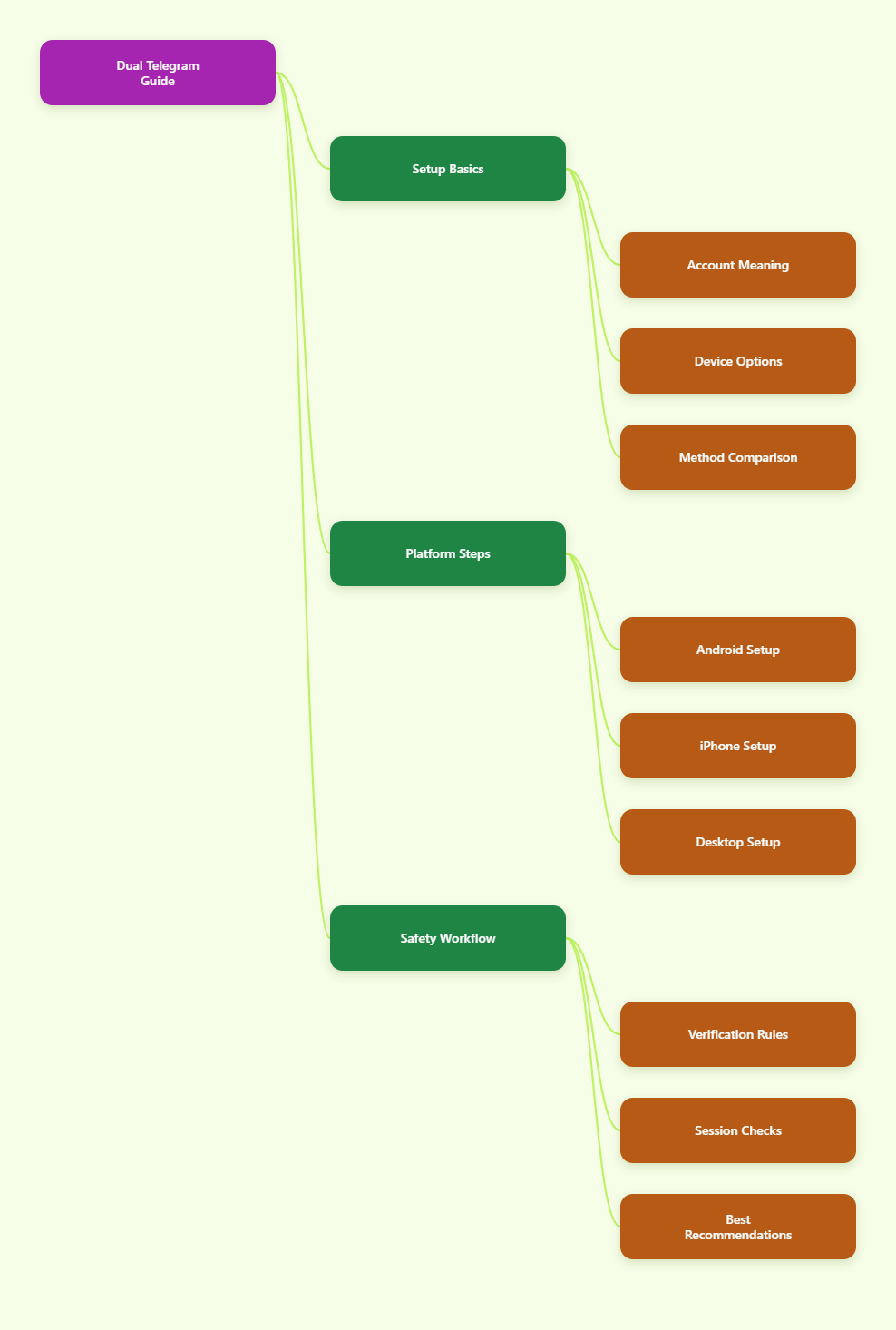
What a Dual Telegram App Setup Really Means in 2026
A dual Telegram setup usually means running two Telegram accounts on one device. Each account needs its own phone number because Telegram treats each phone number as a separate account.
There are four common ways to do it:
- Use Telegram’s built-in Add Account feature.
- Use a second app space on Android, such as Dual Messenger, Secure Folder, Dual Apps, App Twin, or Parallel Apps.
- Use Telegram Desktop or separate browser profiles.
- Use Telegram Web in isolated sessions when you need separate logins.
The official in-app method is usually the best choice for normal users. It keeps you inside Telegram’s supported ecosystem and avoids giving third-party clone apps unnecessary access to your messages, files, contacts, or notifications.
In most cases, you should start with the official method first, then add app cloning or browser isolation only when your workflow genuinely needs it.
Can You Use a Dual Telegram App Officially?
Yes. Telegram officially supports multiple accounts in its apps, and Telegram’s own documentation states that users can add and switch between up to three phone numbers without logging out.
That makes the official multi-account feature the safest “dual Telegram app” solution for most people, even though it is technically one app with multiple profiles rather than two separate app icons.
What You Need Before Starting
Before adding another account, prepare the basics. This prevents login loops and recovery problems later.
- A unique phone number for every Telegram account.
- Access to receive the login code by SMS, phone call, or Telegram login message.
- A recovery email if you enable two-step verification.
- A clear naming system for work, personal, support, or community accounts.
Do not build important accounts on temporary numbers you cannot access again. If Telegram asks for verification later and the number is gone, recovery can become difficult or impossible.
Best Use Cases for Official Switching
The official method works well when you manage a small number of identities and do not need separate app icons.
- Personal and work Telegram accounts.
- A founder account and a support account.
- A private account and a public community admin account.
- Testing a bot or channel from a second user profile.
For many users, this is enough. You get fast switching, official security updates, reliable notifications, and no extra software layer between you and Telegram.
Quick Comparison: Best Dual Telegram App Methods
The table below compares the main options. Use it as a decision shortcut before installing anything new.
| Method | Best For | Main Benefit | Main Limitation | Safety Level |
|---|---|---|---|---|
| Official Add Account | Most users | Supported by Telegram | Limited account slots | High |
| Android App Clone | Users wanting two icons | Separate app spaces | Depends on phone brand | Medium to High |
| Samsung Secure Folder | Privacy separation | Isolated workspace | Samsung only | High |
| Telegram Desktop | PC workflows | Convenient keyboard use | Shared device risk | High |
| Browser Profiles | Web multi-login | Separate cookies and sessions | Needs careful profile management | Medium to High |
| Unknown Third-Party Clients | Not recommended | Extra features | Security and privacy risk | Low |
The safest path is simple: use official Telegram apps first, use operating-system-level isolation second, and avoid unknown modified Telegram clients unless you fully understand the risks.
How to Set Up Multiple Telegram Accounts on Android
Android gives you the most flexibility for a dual Telegram app workflow. You can use Telegram’s built-in account switcher, your phone maker’s app cloning feature, or a secure isolated space if available.
Option 1: Use Telegram’s Built-In Add Account
This is the cleanest Android method.
- Open Telegram.
- Go to the side menu or settings area.
- Tap your profile or account section.
- Choose Add Account.
- Enter the second phone number and complete verification.
After setup, you can switch accounts from the same menu. Notifications from multiple accounts can appear in the same app, so review notification settings for each profile.
Option 2: Use Built-In Android App Cloning
Many Android brands include native cloning tools. These are usually safer than random third-party clone apps because they are built into the device software.
- Samsung: Dual Messenger or Secure Folder.
- Xiaomi: Dual Apps.
- Huawei and Honor: App Twin.
- OnePlus: Parallel Apps.
- OPPO and Realme: App Cloner or similar naming.
The exact menu path changes by model and Android version, but it is usually under Settings, Apps, Advanced Features, Utilities, or Privacy.
This method can create a second Telegram icon, which is useful when you want stronger visual separation between personal and work accounts.
Option 3: Use Samsung Secure Folder
On Samsung phones, Secure Folder is often better than a simple app clone when privacy matters. It creates a protected space where apps, files, and accounts are separated from the main phone area.
Install Telegram inside Secure Folder, sign in with your second number, and keep sensitive chats away from your main app drawer. This is helpful for business, support, and community admin accounts.
How to Use Two Telegram Accounts on iPhone
iPhone users have fewer cloning options than Android users. iOS does not offer the same native app duplication system that many Android brands provide.
That means the official Telegram multi-account feature is usually the best iPhone solution.
Use Telegram’s Official Account Switcher
Open Telegram on iPhone, go to settings, and look for the option to add another account. Add the second phone number, complete verification, and switch between accounts inside Telegram.
This method avoids questionable third-party apps and keeps your Telegram experience aligned with App Store updates.
Use Telegram Web as a Secondary Access Point
If you want one account in the iPhone app and another in a browser, Telegram Web can help. Open web.telegram.org in Safari or another browser and sign in with the second account.
This is not as smooth as a native app, but it can work for occasional access. Remember that clearing browser data can log you out.
Be Careful With “Dual Messenger” Apps on iOS
Some App Store apps advertise dual messenger features for Telegram. Treat them carefully, especially if they ask you to route messages through an unfamiliar interface.
For sensitive conversations, business access, crypto communities, or admin roles, avoid tools that you cannot verify. The official app and Telegram Web are safer choices.
How to Run Multiple Telegram Accounts on Desktop
Telegram Desktop is useful when you handle many messages, files, channels, or support requests. A keyboard and larger screen make account management easier.
Use Telegram Desktop’s Account Switching
Install Telegram Desktop from Telegram’s official website or a trusted app store. Add your first account, then use the app’s account menu to add another account.
This works well for people who need a work account on a laptop while keeping a personal account on the phone. If you share your computer, always lock the system and enable a local passcode where available.
Use Separate Browser Profiles for Telegram Web
Telegram Web typically stores login state inside the browser profile. If two accounts keep conflicting, use separate browser profiles instead of repeatedly logging in and out.
- Chrome Profile A for your personal account.
- Chrome Profile B for your business account.
- Edge, Firefox, or another browser for a support account.
- Incognito only for temporary sessions, not long-term work.
Separate browser profiles keep cookies and sessions apart. This is cleaner than opening many tabs in one browser profile and hoping every login stays isolated.
When Browser Isolation Makes Sense
Browser isolation is useful for teams, agencies, and operators who manage several public-facing accounts. It also helps when you need each account to keep its own cookies, storage, and login state.
However, do not confuse browser isolation with permission to spam or evade platform rules. Telegram can still limit suspicious behavior, mass messaging, abusive automation, or account patterns that look unsafe.
Security Rules for Any Dual Telegram App Workflow
The more accounts you run, the more important basic security becomes. A second account is not useful if it becomes the weak point that exposes your contacts, channels, or business chats.
Enable Two-Step Verification
Telegram supports two-step verification, which adds a password when signing in on a new device. This protects you if someone gets access to your SMS or login code.
- Open Telegram settings.
- Go to Privacy and Security.
- Choose Two-Step Verification.
- Create a strong password.
- Add a recovery email you control.
Do this for every account, not just your main one. Support and admin accounts are often more valuable to attackers than personal accounts.
Review Active Sessions Regularly
Telegram lets you view active sessions and terminate devices you do not recognize. This is essential when using desktop, web, or cloned app setups.
Check active sessions monthly, after travel, after using a borrowed computer, and whenever you notice strange notifications or login alerts.
Avoid Unverified Telegram Clients
Modified or unofficial clients may promise unlimited accounts, extra privacy, or automation. The risk is that you may be giving an unknown app access to your chats, metadata, files, contacts, and login session.
Use official Telegram apps whenever possible. If you must use a third-party tool, verify its reputation, permissions, update history, privacy policy, and whether it is actually needed.
Common Mistakes to Avoid
A dual Telegram app setup should make your workflow simpler, not more fragile. Most problems come from poor account planning rather than Telegram itself.
Using Disposable Numbers for Important Accounts
A temporary number may work today and fail tomorrow. If Telegram asks for verification later, you may lose access.
Use stable phone numbers for business, admin, community, and paid accounts.
Mixing Personal and Business Notifications
If every account sends every notification, you will miss important messages. Customize notifications by account, chat type, and priority.
- Mute low-value groups.
- Pin critical support chats.
- Use different profile photos or names.
- Separate personal and work notification tones if your device supports it.
Scaling Too Fast
Running many Telegram accounts at once creates operational risk. You need consistent passwords, recovery emails, session checks, and clear ownership rules.
If you are managing accounts for a team, document who owns each number, who can recover it, and what happens when an employee leaves.
Recommended Dual Telegram App Setup by User Type
Different users need different setups. Choose the simplest method that solves the real problem.
For Personal Users
Use Telegram’s official Add Account feature. It is simple, stable, and safe enough for separating personal and work conversations.
Add two-step verification and review active sessions every few months.
For Freelancers and Small Businesses
Use one personal account and one business account in the official app. If you need stronger separation, use an Android clone feature or Samsung Secure Folder.
On desktop, use Telegram Desktop for daily replies and keep Telegram Web as a backup, not your only access method.
For Agencies and Community Teams
Use official apps for core admin accounts and separate browser profiles for web-based workflows. Keep a written account inventory with phone numbers, recovery emails, device access, and admin roles.
Do not share one account across many people if you can avoid it. Use proper channel and group admin permissions instead.
Final Verdict: What Is the Best Dual Telegram App Method in 2026?
The best dual Telegram app method in 2026 is Telegram’s official multi-account switching for most users. It is supported, easy to maintain, and safer than installing unknown clone apps.
Android users who need two separate icons can use built-in tools like Dual Messenger, Secure Folder, Dual Apps, App Twin, or Parallel Apps. iPhone users should rely mainly on Telegram’s official account switcher and Telegram Web for secondary access.