
Every year, I see the same pattern. People launch a Telegram bot, then the cracks show up fast. Long replies fail. Group chats act weird. Broadcasts hit limits. And the bot cannot do things that feel obvious at first.
So I wrote this guide for the messy reality, not the demo version. If you care about limitations when you chat via Telegram bot, I will show you what usually breaks, why it breaks, and how I work around it without fighting the platform.
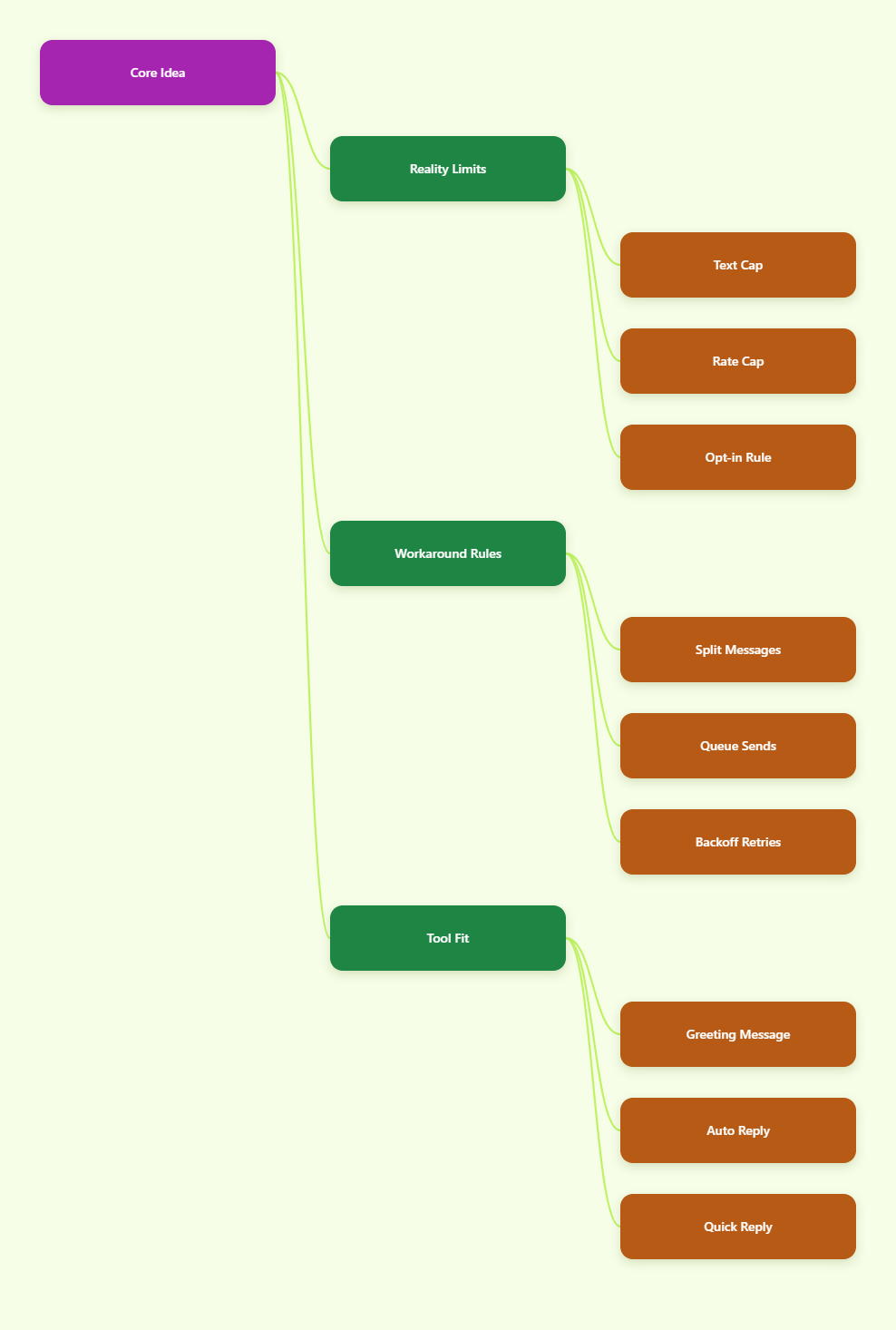
What Actually Breaks First When You Chat Via Telegram Bot?
The first surprise is usually message length. Telegram Bot API messages have a public ceiling of 4096 characters. That sounds large until you try to send a long onboarding note, a policy update, or a detailed product walkthrough.
The second surprise is rate control. Telegram does not want bots blasting messages as fast as possible. In practice, you need to think in queues, not in bursts. If you ignore that, replies start lagging or fail with limit errors.
The third surprise is conversational scope. A bot cannot simply start a private chat with a user. The user has to message first. In groups, privacy mode also matters, because bots do not see every message by default.
That mix creates a simple truth. Telegram bots are great for structured interaction. They are weaker when you try to make them behave like a human inbox with unlimited freedom.
Why These Telegram Bot Limits Exist
I used to think these limits were just annoying guardrails. Now I think they are part of why Telegram bots stay usable at scale. Without them, spam would wreck the experience for everyone.
Message caps keep bots from dumping huge walls of text into chat. Rate limits protect the platform from mass abuse and sudden traffic spikes. The opt-in rule protects users from surprise messages. Privacy mode protects group members from unwanted bot listening.
There is also a product side to this. Telegram is designed around clear actions, fast replies, and compact flows. The best bots feel precise. They do not feel like a web page squeezed into a chat box.
That is why the strongest bot experiences I have seen are always opinionated. They ask one thing at a time. They avoid giant paragraphs. They guide the user instead of overwhelming them.
A 2026 Cheat Sheet for Telegram Bot Chat Limits
When I plan a bot flow, I keep this table nearby. The exact behavior can shift with Bot API updates, but these are the limits and patterns that matter most in real work.
| Limit | What it means | How I handle it |
|---|---|---|
| 4096 characters | A single bot message cannot run forever. | I split long copy by idea, not by raw length. |
| About 1 message per second per chat | Fast repeated replies to one user can slow down. | I queue replies and add a short delay between sends. |
| Around 30 requests per second globally | Big bursts can trigger throttling. | I stagger broadcasts and add retry logic with backoff. |
| User opt-in required | A bot cannot just start a private conversation. | I ask users to tap /start before I send anything useful. |
| Privacy mode in groups | A bot may not see every group message. | I use admin rights or disable privacy only when needed. |
| 50 MB file ceiling | Large files can fail through the standard Bot API. | I compress files or move heavy assets into better delivery paths. |
The most useful thing in that table is not the number itself. It is the design habit behind it. Every limit pushes you toward smaller pieces, clearer intent, and fewer surprises for the user.
How I Design Around the Limits Instead of Fighting Them
I do not try to make Telegram behave like email, WhatsApp, or a CRM inbox. I design the flow around Telegram’s strengths. That simple shift saves me a lot of time.
1. I split long replies into chunks
If I need to send a long answer, I break it into short sections. I keep each section focused on one idea. That makes the message easier to read and easier to resend if something fails.
I also avoid sending a giant intro followed by a giant explanation. I prefer a short opening, then a short action prompt, then a follow-up message if the user wants more detail.
2. I queue bursts instead of blasting them
When a bot handles many users at once, speed becomes a design problem. If I push everything instantly, I risk hitting limits. So I queue jobs and space them out.
That matters most for onboarding messages, community notices, and support flows after a big campaign. Even a small delay is better than dropped replies or a messy user experience.
3. I treat /start as the real first handshake
If a bot needs to communicate with a user, the first task is not automation. It is permission and context. I use /start to explain what the bot does, what the user can ask, and what happens next.
This is also where I lower friction. A short welcome message beats a long paragraph. A few buttons beat a giant text menu. Telegram users like speed, and I respect that.
4. I assume group visibility is limited
Group bots often fail because the operator assumes the bot sees everything. It usually does not. Privacy mode blocks broad access unless you intentionally change the setup.
So before I promise moderation, keyword monitoring, or group assistance, I check the bot’s visibility rules. That one check saves a lot of debugging later.
Where OnlyTG Echo@EchoOnBot Fits Into the Picture
When the pain point is repetitive chat work, I look for tools that make setup faster without pretending to remove Telegram’s limits. That is where OnlyTG Echo@EchoOnBot fits for me.
Based on its official setup flow, I first create a bot in BotFather, then bind the token in OnlyTG Echo@EchoOnBot. After that, I configure the basic conversation pieces I actually need, like a start message, auto-replies, and quick replies.
I like that this approach stays close to Telegram’s own rules. It does not replace the platform. It helps me build around the platform faster.
How I use it in practice
Step 1: I create the bot in BotFather and copy the token.
Step 2: I connect that token in OnlyTG Echo@EchoOnBot.
Step 3: I set the first message, add a few auto-replies, and keep the flow short.
Step 4: I test the bot like a real user would, then I tighten the wording until it feels natural.
That is enough for most small support, onboarding, and reply workflows. I do not need a giant rules engine for every use case.
Three real-world scenarios I would actually use
Creator support: A newsletter owner or channel operator can use a short start message and keyword replies for common questions like pricing, links, or access steps. That cuts repeat typing and keeps the inbox readable.
Small SaaS onboarding: A product team can greet new users, explain the next action, and route common questions into fixed replies. That helps when users ask the same thing after every campaign or tutorial post.
Agency client comms: A small Telegram-based agency can keep prospect chats organized with quick replies for audits, booking links, and basic service questions. It is simple, but it saves time every day.
FAQ
Can a Telegram bot message a user first?
No, not in a normal private chat. The user has to start the conversation first. That is one of the most important limitations when you chat via Telegram bot.
Why does my bot miss group messages?
Privacy mode is usually the reason. In groups, bots only see certain messages unless you change the bot’s visibility settings or give it the right permissions.
What is the safest way to handle long replies?
Split them into smaller messages. Keep each block focused. That reduces the chance of hitting the 4096-character ceiling and makes the conversation easier to read.
How do I avoid rate limit problems?
Use a queue, add small delays, and retry with backoff if the platform pushes back. I never send large batches in one instant unless I have tested the flow carefully.
Can I broadcast messages to lots of users?
Yes, but I do it carefully. Telegram reference material points to global throughput limits, so I stagger sends instead of blasting every contact at once.
Where does OnlyTG Echo@EchoOnBot help most?
It helps most when I want a faster setup for a clean onboarding flow, auto-replies, and quick replies. It is a helper layer, not a shortcut around Telegram’s rules.
Is OnlyTG Echo@EchoOnBot a full replacement for coding?
Not always. For simple flows, it can save a lot of setup time. For deeper logic, integrations, or complex routing, I still combine it with normal bot development.
Final Thoughts
If your Telegram bot feels awkward, the issue is often the platform rules, not your idea. Once you respect the limits, the whole experience gets cleaner. Messages become shorter. Replies become faster. Users stop getting lost.