
Learning how to create a Telegram bot with BotFather is still one of the fastest ways to automate community support, channel operations, lead capture, alerts, and lightweight marketing workflows in 2026. The challenge is not creating the bot itself. The real challenge is configuring it correctly, avoiding privacy mistakes, and building a workflow that does not break when your audience grows.
This beginner tutorial create Telegram Bot BotFather guide walks through the practical setup, the common decisions marketers face, and the operational issues that matter after launch. You will learn what BotFather does, how tokens work, when to use groups or channels, how webhooks differ from polling, and how to keep automation useful without turning your Telegram presence into spam.
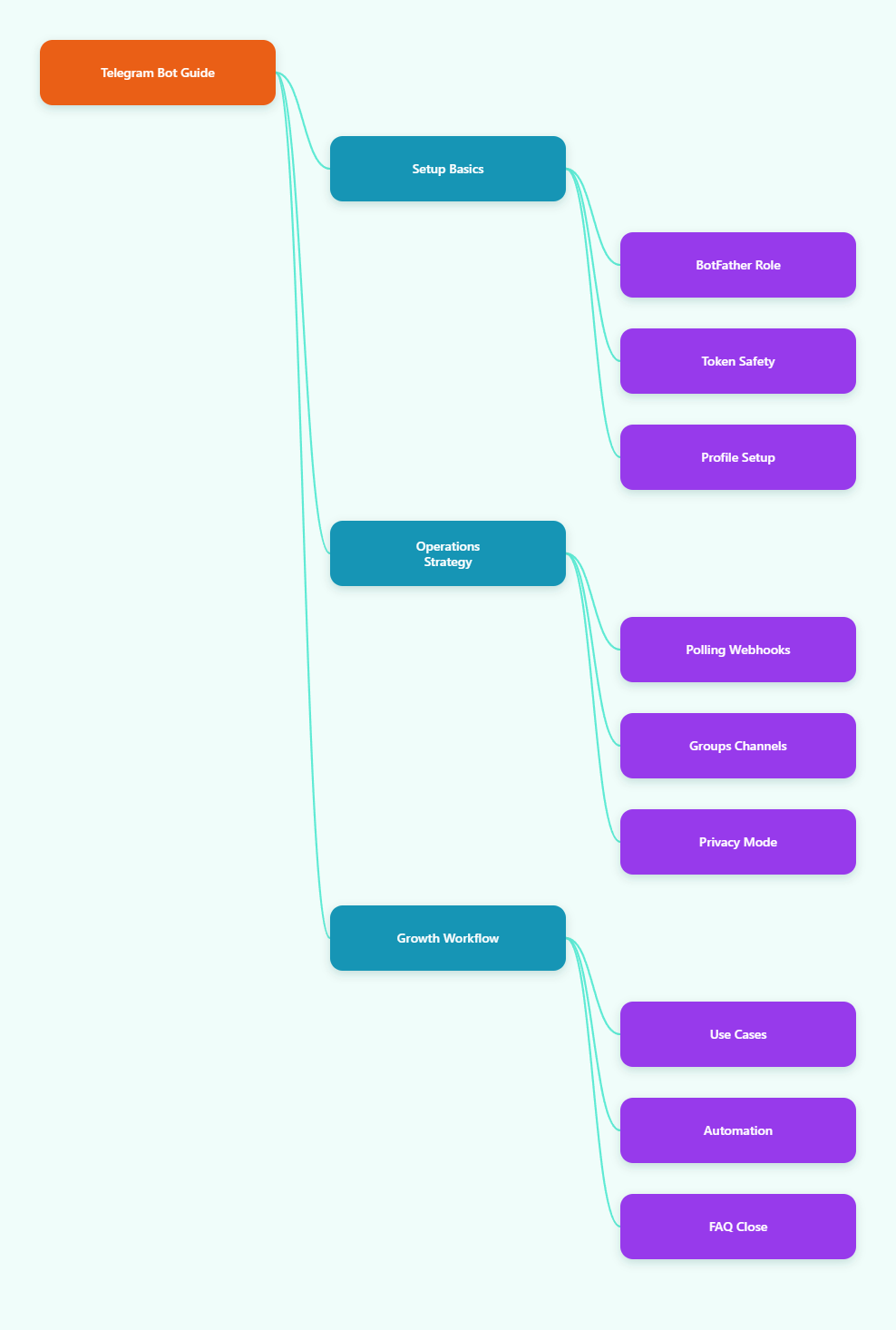
Why Telegram Bots Matter for Marketers in 2026
Telegram has become more than a private messaging app. Public channels, large groups, bots, mini apps, paid communities, and broadcast workflows now make it a serious channel for digital marketers, creators, Web3 teams, SaaS communities, and niche publishers.
Telegram founder Pavel Durov stated in March 2025 that Telegram had reached more than 1 billion monthly active users. Official Telegram documentation also confirms that groups can support up to 200,000 members, while channels are designed for broadcasting to large audiences.
For marketers, this scale creates three practical opportunities:
- Deliver updates directly without relying on social feed algorithms.
- Use bots to automate repetitive support, onboarding, alerts, and routing.
- Connect channels, groups, and external systems into one operational workflow.
But scale also increases risk. A poorly configured bot can miss group messages, expose a token, trigger rate limits, or confuse users with unclear commands. That is why a beginner tutorial create Telegram Bot BotFather process should include operations, not only setup.
What Is BotFather and Why Do You Need It?
BotFather is Telegram’s official bot for creating and managing Telegram bots. Telegram’s developer documentation describes it as the place where you register a new bot and receive the authentication token used by the Bot API.
In simple terms, BotFather is the control desk. You use it to create the bot identity, edit profile details, configure commands, manage settings, and revoke tokens when needed.
For beginners, the most important BotFather concepts are:
- Bot name: The display name users see in Telegram.
- Bot username: The unique handle ending in bot, such as ExampleSupportBot.
- Token: The private credential your app or automation platform uses to control the bot.
- Commands: Short actions like /start, /help, /pricing, or /support.
- Privacy mode: A group setting that affects whether the bot can read all messages.
Always open BotFather from the verified Telegram account. Search results may show lookalike accounts, so check the verified mark before creating or managing any bot.
Beginner Tutorial: Create Telegram Bot BotFather Step by Step
The actual creation process usually takes only a few minutes. The preparation around naming, commands, and security matters more than speed.
Step 1: Open the verified BotFather
Open Telegram and search for @BotFather. Start the chat and send /start. Telegram’s official Bot API guide points beginners to BotFather as the first step for registering a bot and receiving a token.
Step 2: Create a new bot
Send /newbot. BotFather will ask for a bot name first. Use a name that matches the job the bot performs, such as Acme Alerts, GrowthLab Support, or MarketPulse Updates.
Next, choose a username. It must be unique and must end with bot. Keep it short enough for users to type, but specific enough to avoid confusion with unrelated tools.
Step 3: Save the token securely
After creation, BotFather returns an authentication token. Treat it like a password. Anyone with the token can call the Bot API as your bot.
- Store the token in a password manager or encrypted secrets manager.
- Do not paste it into public GitHub repositories, screenshots, or shared documents.
- Revoke it in BotFather if you suspect exposure.
Step 4: Add profile details
A bot with no description looks unfinished. Use BotFather settings to add a short description, about text, avatar, and command list. This improves trust before a user taps Start.
A good bot description should explain:
- What the bot does.
- Who it is for.
- What data users should or should not send.
- Where users can get human support.
Step 5: Connect the bot to logic
BotFather creates the bot account, but it does not build the full business logic. To make the bot respond, you need code, a no-code automation tool, or a backend service connected through the Telegram Bot API.
Telegram bots receive updates in two main ways: long polling and webhooks. Polling is simple for testing. Webhooks are usually better for production because Telegram sends updates to your server when they happen.
Polling vs Webhooks: Which Should Beginners Choose?
Many first-time bot builders get stuck here. Both options are valid, but they serve different stages of the project.
| Method | Best For | Main Requirement | Operational Risk |
|---|---|---|---|
| Long polling | Local testing, prototypes, small internal tools | A running script that calls getUpdates | Can stop when the script or server stops |
| Webhook | Production bots, alerts, customer workflows | Public HTTPS URL with a valid SSL certificate | Misconfigured endpoints can silently miss updates |
| Channel bot posting | Broadcasting updates to subscribers | Bot added as channel admin with posting rights | Bad scheduling can cause audience fatigue |
| Group bot moderation | Communities, support groups, member routing | Correct permissions and privacy settings | Privacy mode may limit message visibility |
Telegram’s Bots FAQ notes that long polling and webhooks are the two ways to get updates, and that they cannot be used at the same time while an outgoing webhook is set. For beginners, start with polling if you are learning code. Move to webhooks once real users depend on the bot.
How Should You Use a Telegram Bot in Channels and Groups?
A common mistake is treating channels, groups, and bots as the same thing. They are different tools.
Channels are best for one-to-many broadcasting. Groups are best for discussion and member interaction. Bots are automated accounts that perform tasks, respond to commands, route data, or connect Telegram to external systems.
Use this simple rule:
- Use a channel when you want controlled publishing and high signal.
- Use a group when you want discussion, support, and member feedback.
- Use a bot when a repetitive action should happen automatically.
For a marketing team, this often means publishing official posts in a channel, linking a discussion group for comments, and using a bot for onboarding, FAQs, alerts, or content routing.
Common BotFather Mistakes Beginners Should Avoid
The beginner tutorial create Telegram Bot BotFather process is simple, but the most expensive problems appear later. Most are preventable.
- Using a vague username: A generic handle reduces trust and makes support harder.
- Forgetting /help: Users need a fallback when commands are unclear.
- Leaking the token: Public tokens should be revoked immediately through BotFather.
- Ignoring privacy mode: In groups, privacy mode affects which messages the bot can receive.
- No rate limiting: Bots that send too many messages can receive HTTP 429 errors with retry_after instructions.
- No human escalation: Automation should route complex cases to a person, not trap users.
Telegram’s bot documentation and community libraries repeatedly emphasize permissions, update methods, and rate handling because these are the areas where simple bots become unreliable at scale.
How Do Privacy Mode and Group Permissions Work?
Privacy mode protects group conversations by limiting what a bot can see. By default, many bots are designed to react to commands rather than read every group message.
If your bot needs to moderate conversations, detect keywords, or collect questions from a group, you must check both privacy mode and admin permissions. If the bot only needs to respond to /start or /help, privacy mode may be enough.
Before disabling privacy mode, ask three questions:
- Does the bot truly need to read all group messages?
- Have members been told what the bot monitors?
- Can the same outcome be achieved with commands or buttons?
For marketing communities, transparency matters. A bot that quietly reads everything can damage trust, especially in paid or professional groups.
What Should Your First Telegram Bot Actually Do?
Beginners often start with an overbuilt idea. A better approach is to launch one reliable workflow, measure usage, then expand.
Good first bot workflows include:
- Welcome flow: Explain the channel, rules, links, and next steps after /start.
- FAQ flow: Answer pricing, access, refund, event, or product questions.
- Lead capture: Ask for role, interest, and preferred contact path.
- Content alerts: Send scheduled or triggered updates to a channel.
- Support routing: Collect issue type and forward users to the right team.
Keep the first version measurable. Track how many users start the bot, where they drop off, and which commands they use. Telegram itself gives delivery and interaction signals in different contexts, but deeper analytics usually requires your own backend or a connected tool.
SEO and Growth Tips for Promoting Your Telegram Bot
Creating the bot is only the beginning. If people cannot discover it, the workflow has no impact.
For Google visibility, build a dedicated landing page that explains what the bot does, who should use it, and how to start. Include screenshots, a short command list, privacy notes, and a direct Telegram link.
For Telegram-native growth, place the bot where intent already exists:
- Pin the bot link in your main channel.
- Add the bot to your channel description if it supports onboarding or support.
- Mention the bot in welcome posts and community rules.
- Use UTM-tagged landing pages when promoting from ads, email, or partner channels.
- Review search terms such as beginner tutorial create Telegram Bot BotFather when writing educational content for new users.
Do not promote a bot before testing the complete first-user journey. A broken /start flow wastes high-intent traffic and weakens trust.
FAQ: Beginner Tutorial Create Telegram Bot BotFather
1. Is BotFather the official way to create a Telegram bot?
Yes. Telegram’s official bot documentation directs developers to BotFather to register a bot and receive its authentication token.
2. Do I need coding skills to create a Telegram bot with BotFather?
You do not need coding skills to create the bot account. You need code, a no-code tool, or a connected platform to make the bot perform useful actions after creation.
3. What should I do if my bot token is leaked?
Revoke the token through BotFather as soon as possible, update your app or automation platform with the new token, and check logs for suspicious activity.
4. Why does my Telegram bot not read group messages?
The usual reasons are privacy mode, missing admin permissions, or logic that filters out group chat updates. Check BotFather settings, group permissions, and your backend code.
5. Should beginners use polling or webhooks?
Use polling for learning and local tests. Use webhooks with a valid HTTPS endpoint for production bots that need stable, real-time updates.
6. Can a Telegram bot post in my channel?
Yes, if you add the bot as a channel admin and give it the required posting permissions. Test with a draft or low-risk post first.
7. What is the safest first bot for marketers?
A welcome and FAQ bot is usually safest. It reduces repetitive questions, gives users clear next steps, and does not require the bot to read every group message.
Final Thoughts
A beginner tutorial create Telegram Bot BotFather workflow should not stop at /newbot. In 2026, the winning Telegram operators think about permissions, user trust, message quality, rate limits, and maintainable automation from day one.