
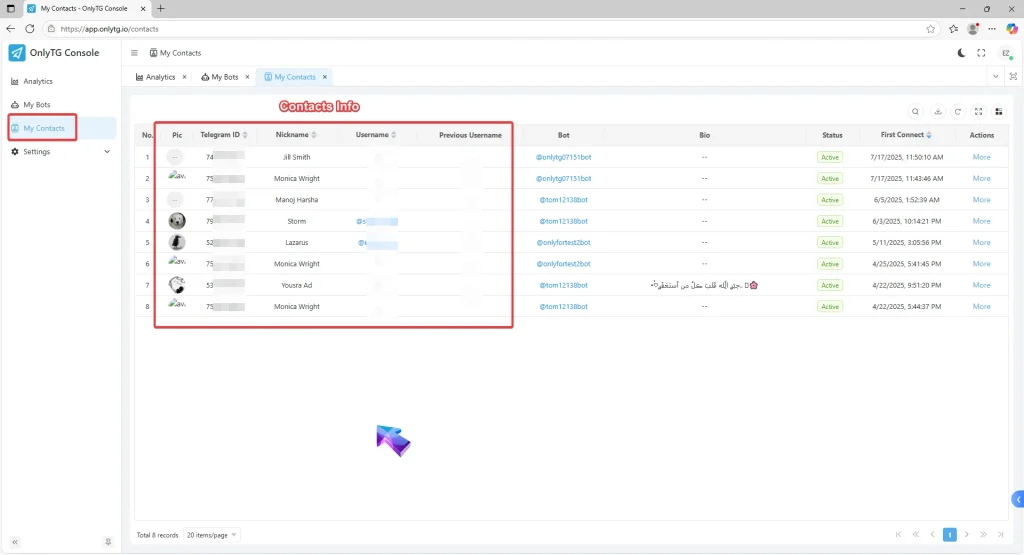
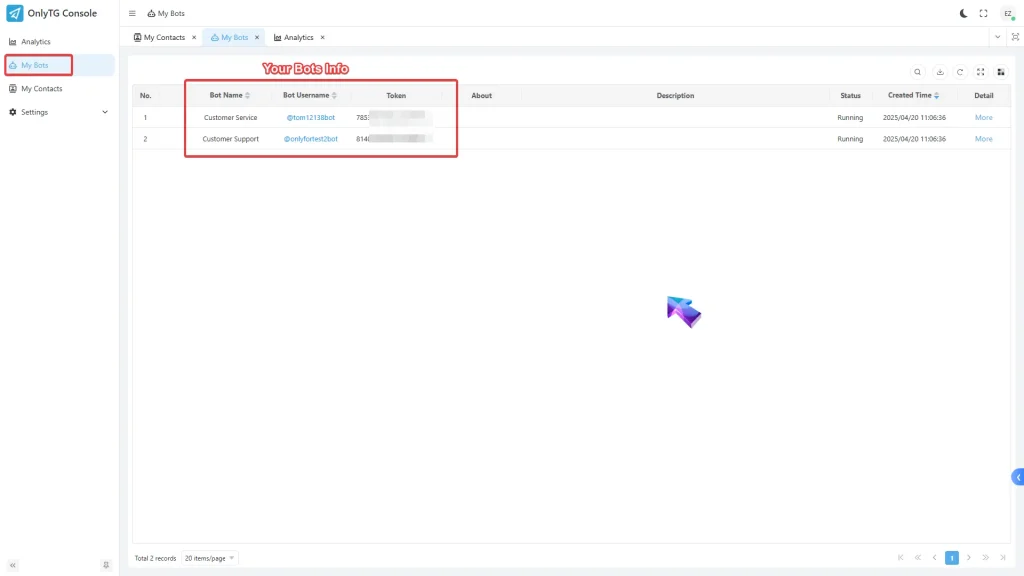
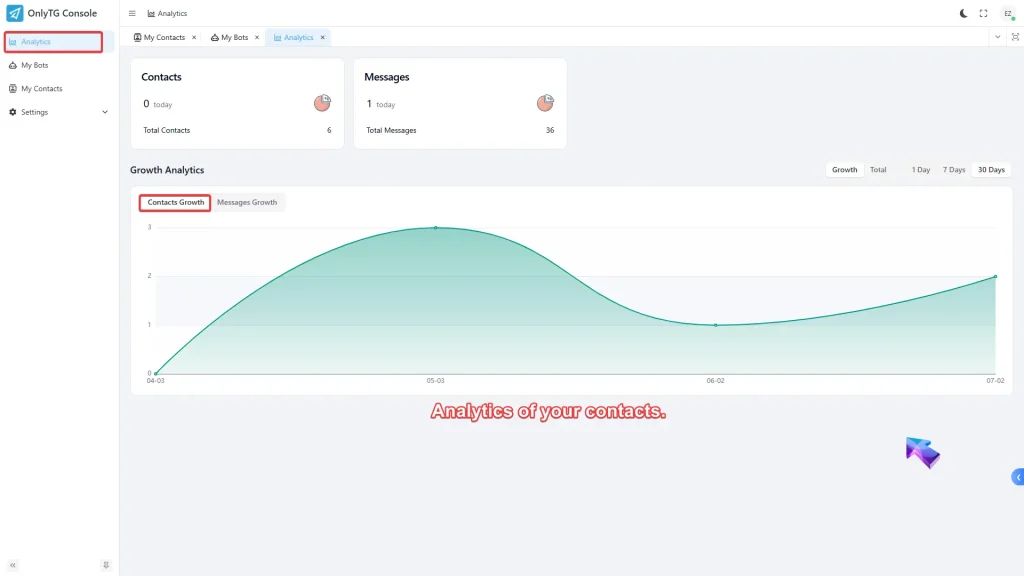
OnlyTG Echo provides the function to view statistics.All bots created via OnlyTG Echo can display detailed contact information in the admin console. Including contact’s pics, names, usernames, etc. Additionally, you can check your bot’s recent statistics in the dashboard, which will help you to analyze your bot’s latest operational status.
Video Tutorial
1. Contacts and Bots Info
a. Contacts Info
b. Bots Info
2. Analytics
a. Analytics of your contacts.
b. Analytics of bot messages.
3.Account and User Settings
a.Account Settings

b.User Setting

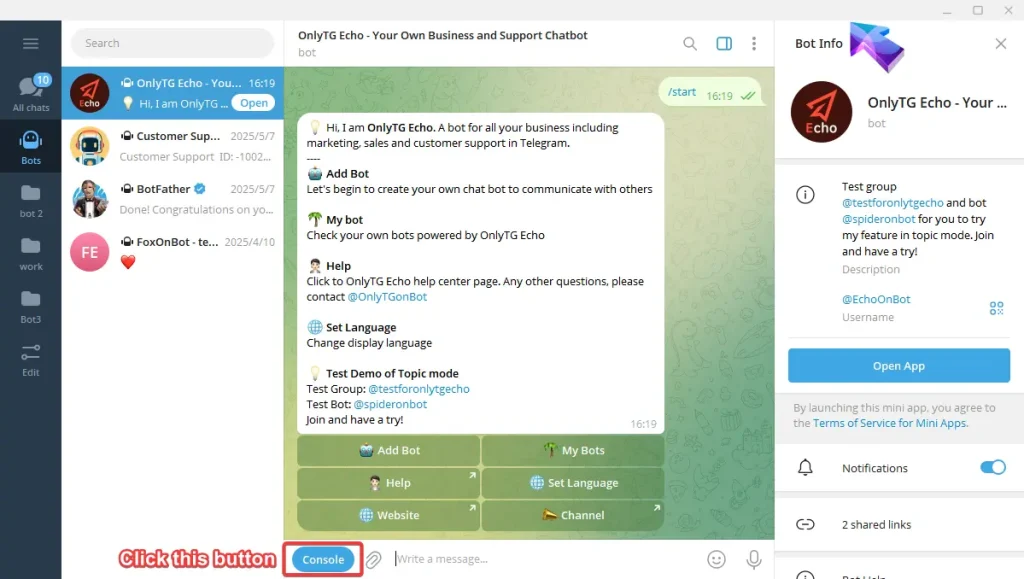
How to access the Admin Console?
Method 1
Go to https://t.me/echoonbot , click the Console button and sign in.

Method 2
Go to https://onlytg.io , click the top right button ‘Sign in’ and sign in with your telegram account.
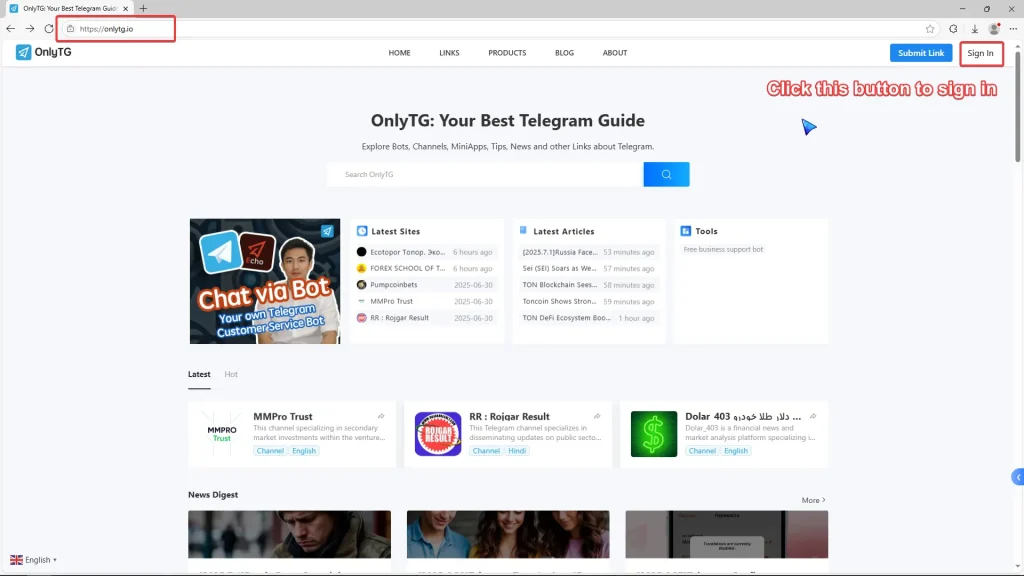
Method 3
Go to https://app.onlytg.io , and sign in with your telegram account.


