Skip to content
OnlyTG Icon
  • ProductsExpand
    • Echo
    • Recorder
  • ResourcesExpand
    • Help
    • Blog
  • EnglishExpand
    • 中文 (中国)
    • Русский
    • English
Contact us

OnlyTG Echo

  • Introduction
  • How to start
  • Chatbots
    • Message Receive and Reply
    • Set Start Message
    • Set Auto-reply and keywords-based reply
    • Set Quick Reply
    • Create Broadcast Task
    • Tracking Links
  • Channels
    • Channel Management
    • Channel Post
    • Channel Post Edit
    • Pro Communities – Channel
    • Loop Post on Telegram Channels
  • Groups
    • Group Management
    • Group CAPTCHA
    • Group Greeting
  • Others
    • Change to Topic Mode
    • Multimedia Messages
    • Set and use content module
    • Edit bot infomation
    • View my bot’s statistics

OnlyTG Recorder

  • Introduction
  • Record Message and Foward
  • Save Record
  • Lock Record
  • Edit Record Title
  • Timezone
View Categories
  • Home
  • Docs
  • Record Message and Foward

Record Message and Foward

1 min read

OnlyTG Recorder provides the function to combine message to a record. And you can quickly forward it to other users.

Video Tutorial

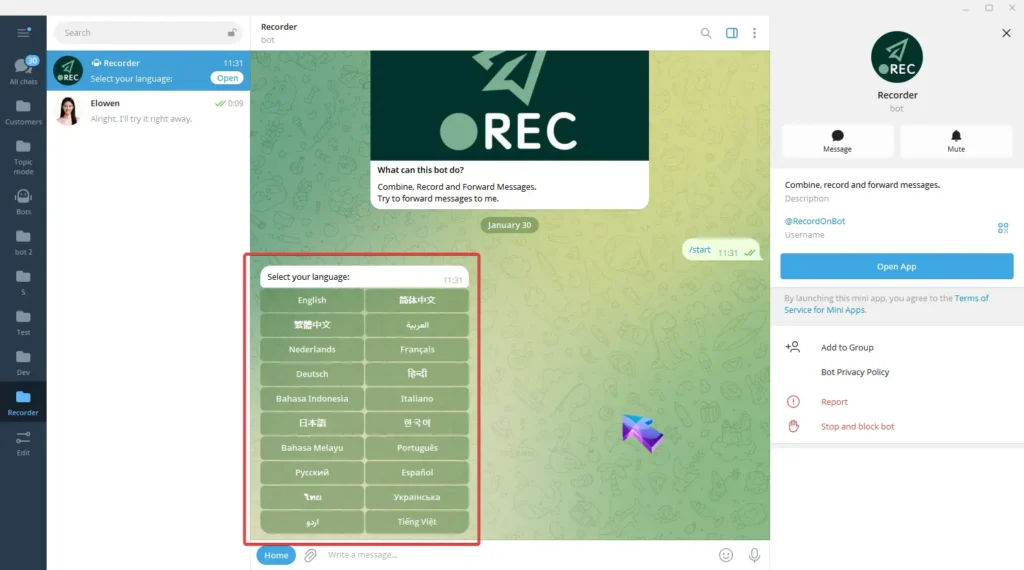
step 1

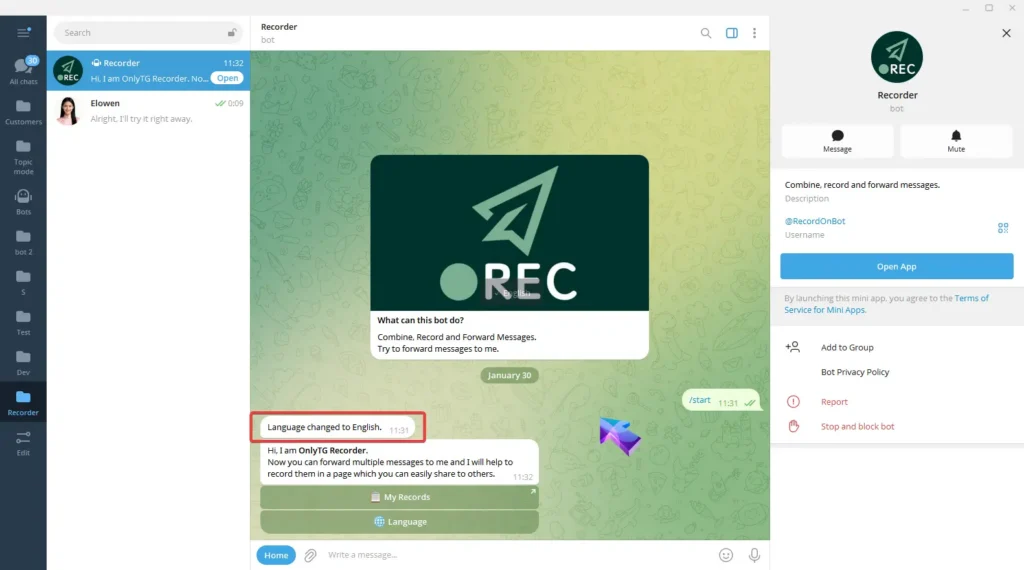
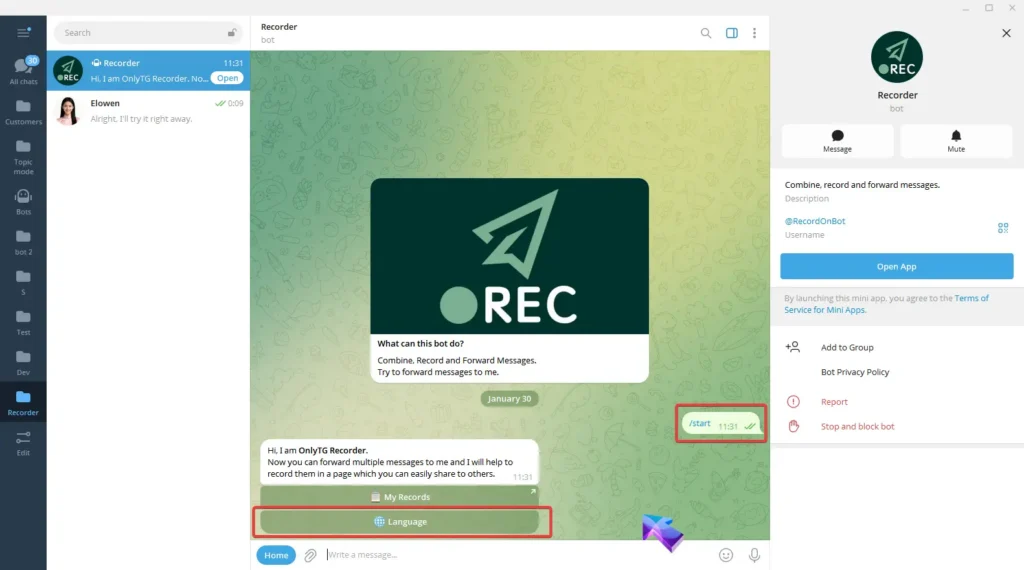
Start Recorder Bot(@RecordOnBot) and select Language to set language.
Record Message and Foward

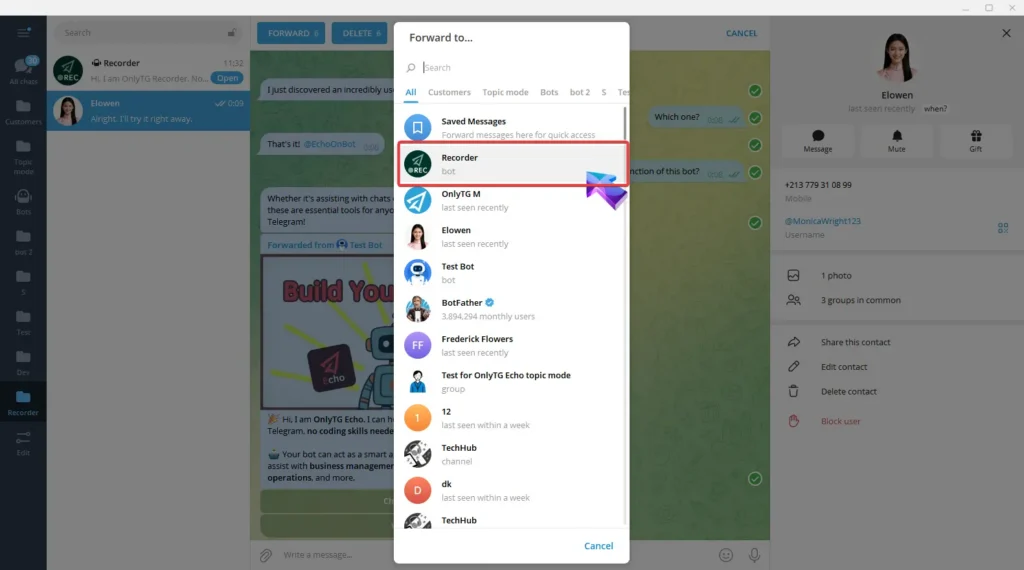
step 2

Forward messages from other contacts, channels, groups and more to Recorder.
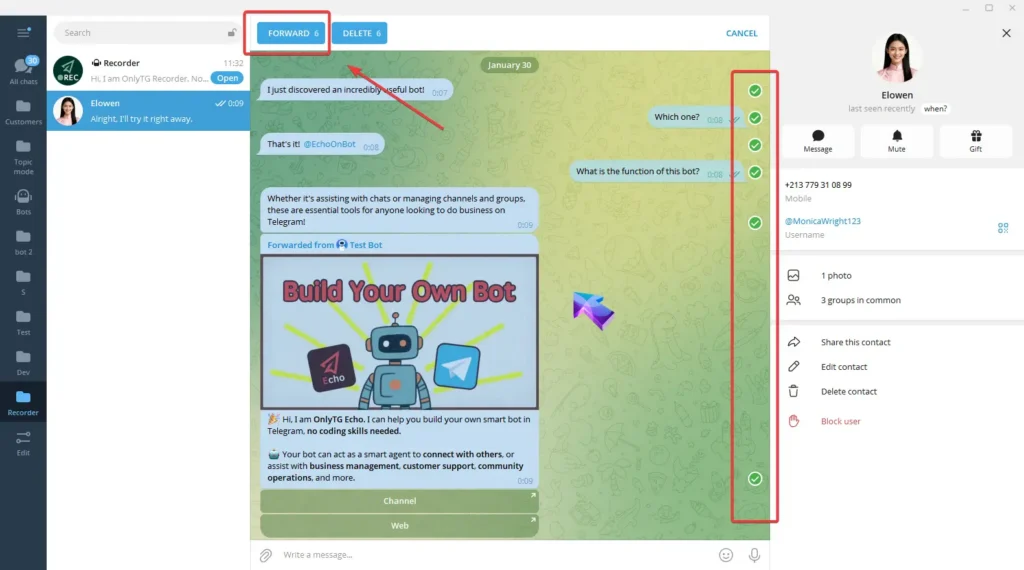
Record Message and Foward

Then Recorder will notify you of how many messages have been recorded.
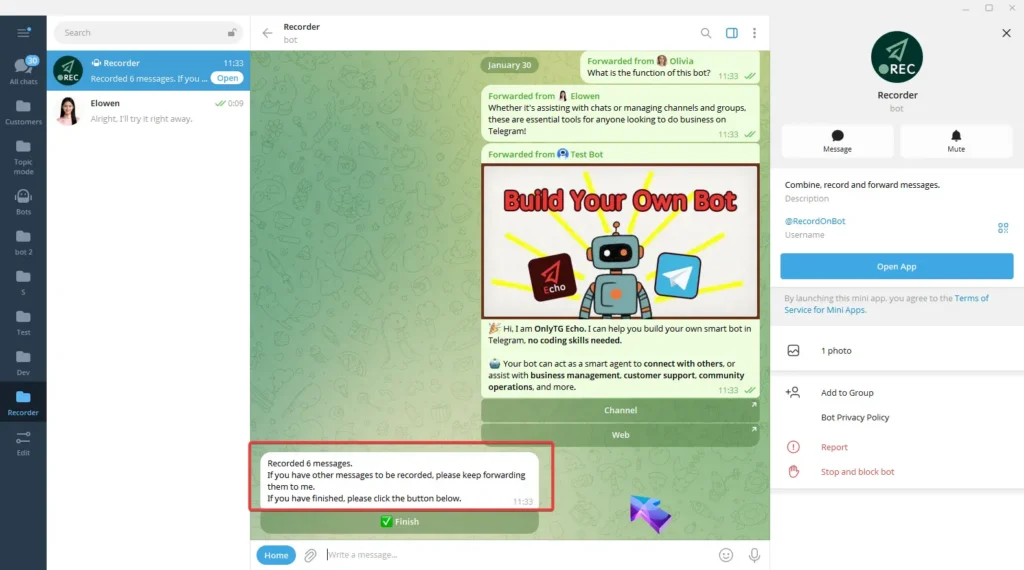
Record Message and Foward

If you have more messages to record, you can keep forwarding them to the bot. Once you’ve finished forwarding all messages, select Finnish.
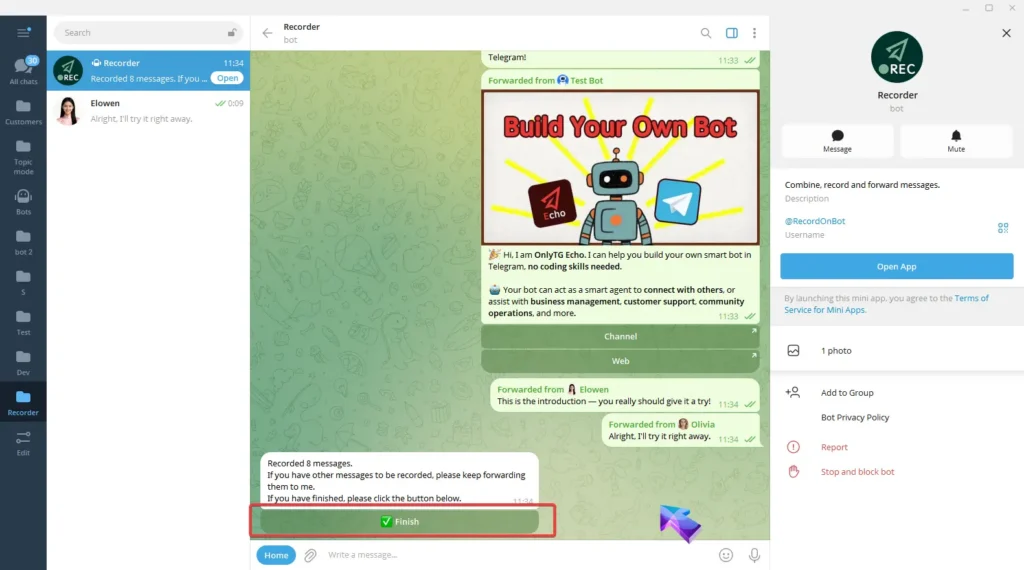
Record Message and Foward

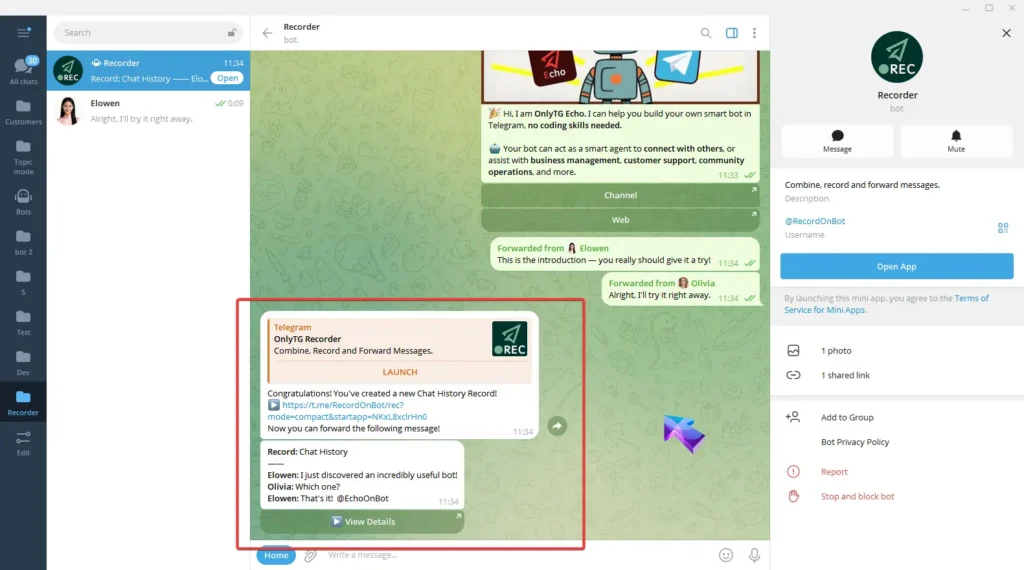
Recorder Bot will combine the forwarded messages and create a new chat history record.

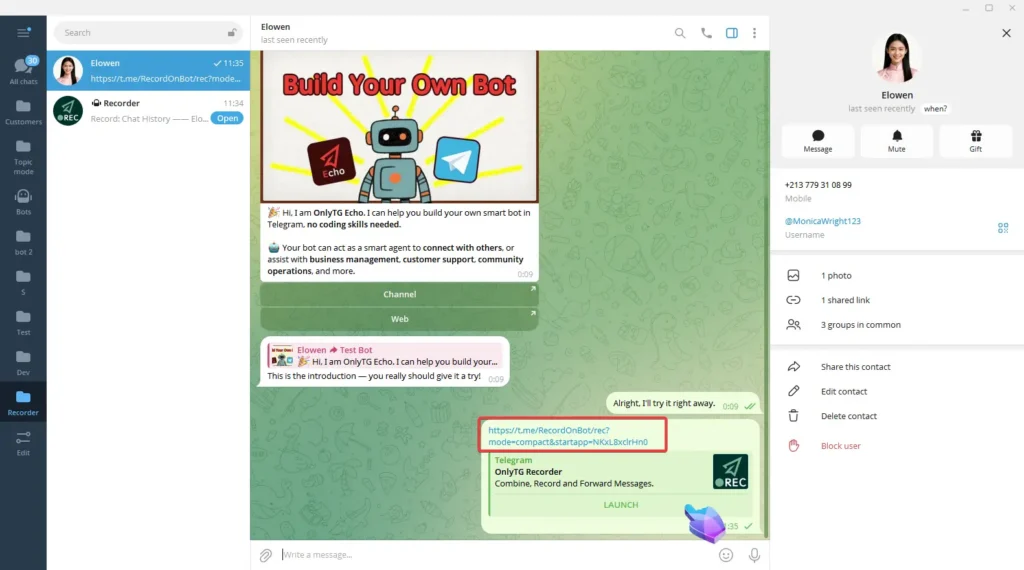
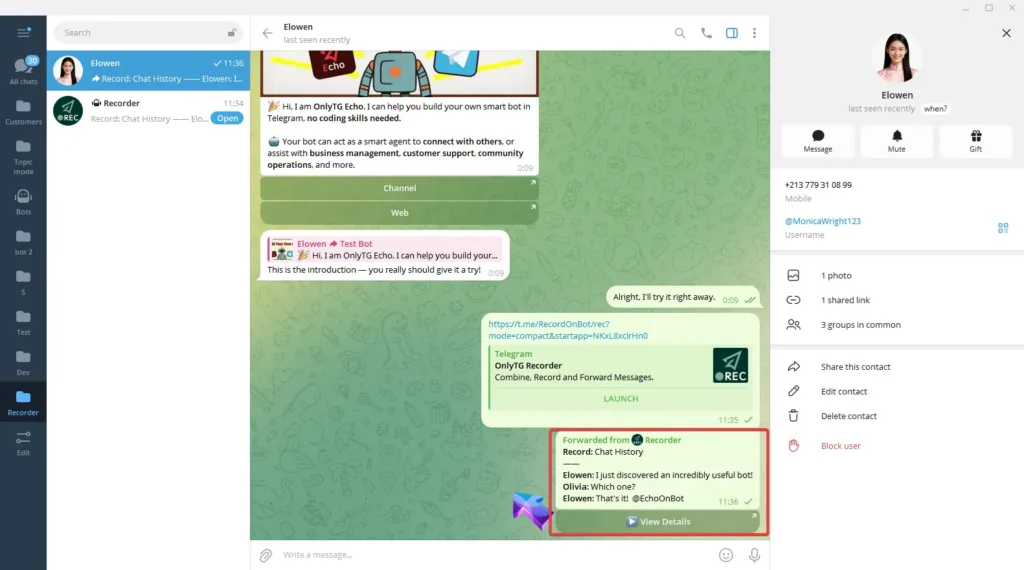
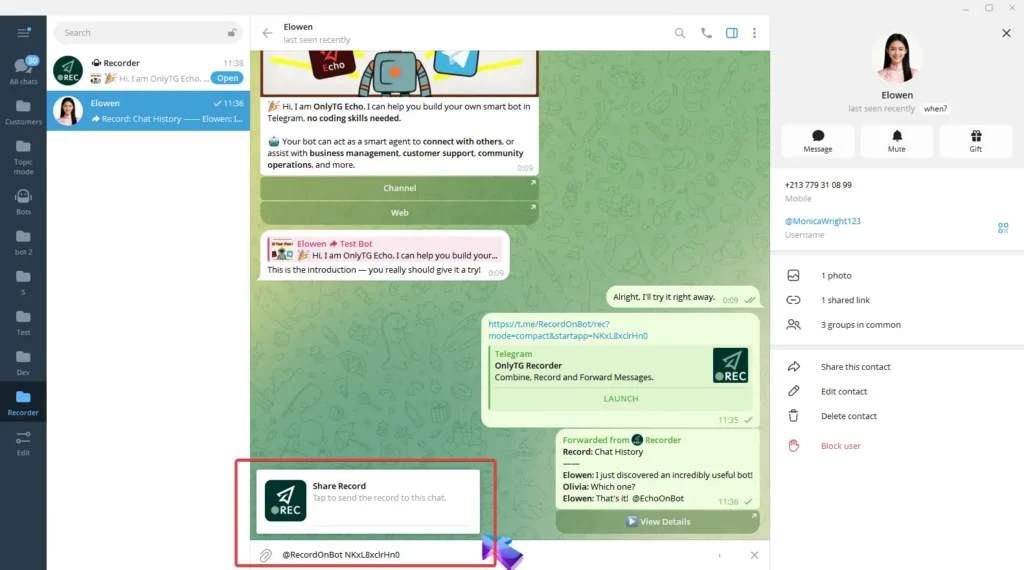
When you need to share these messages, you can copy the link of this record and send it to others.
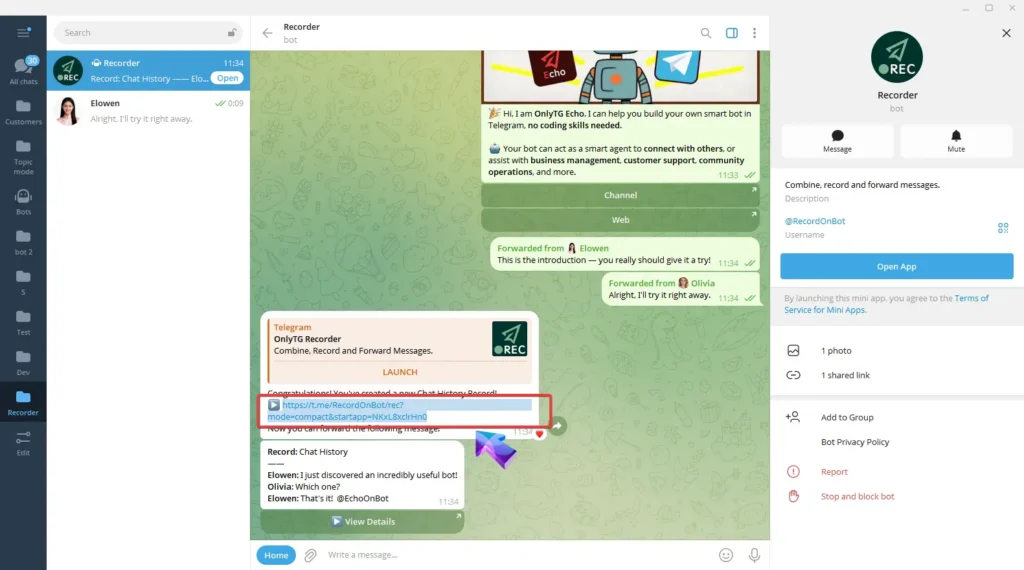
Record Message and Foward

Or forward the record message directly to them.
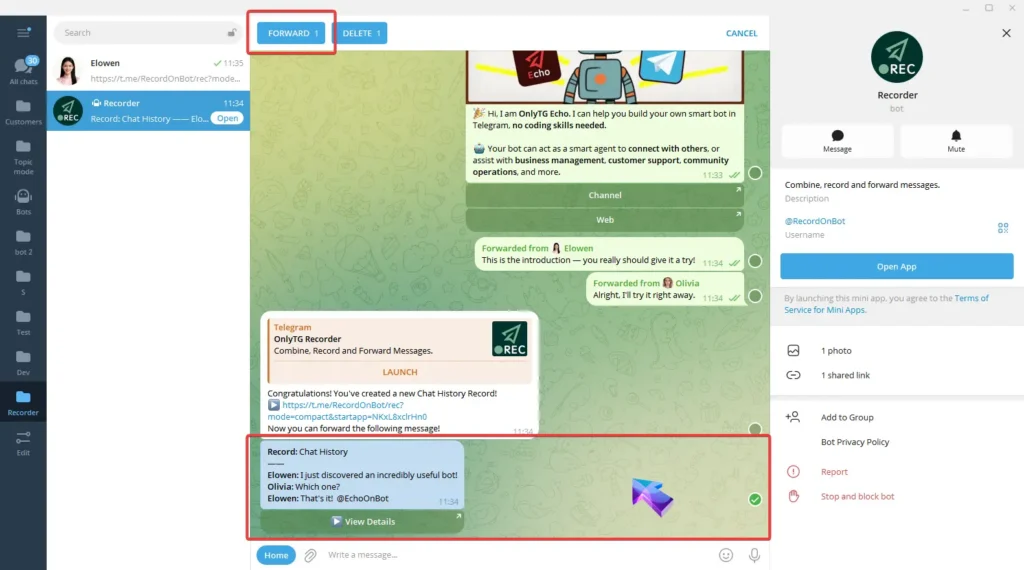
Record Message and Foward

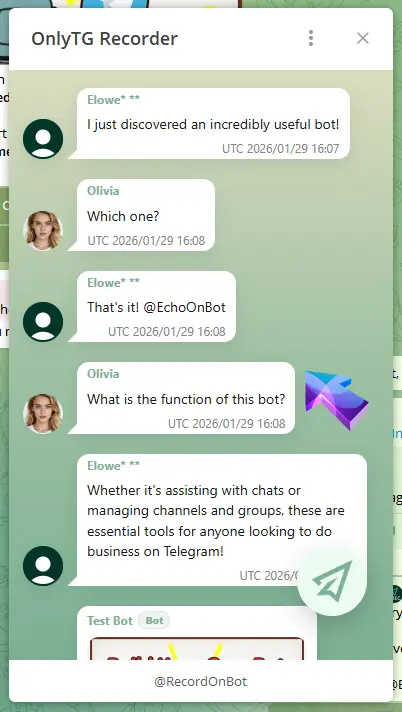
They just need to click the link or the View Details button to enter the mini app, where they can check the full details of the record.
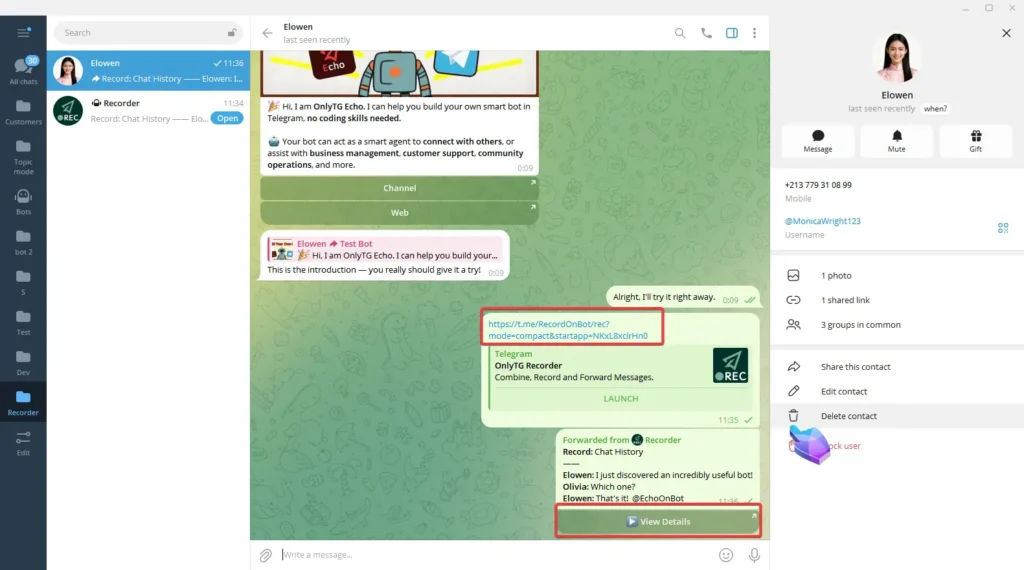
Record Message and Foward

step 3

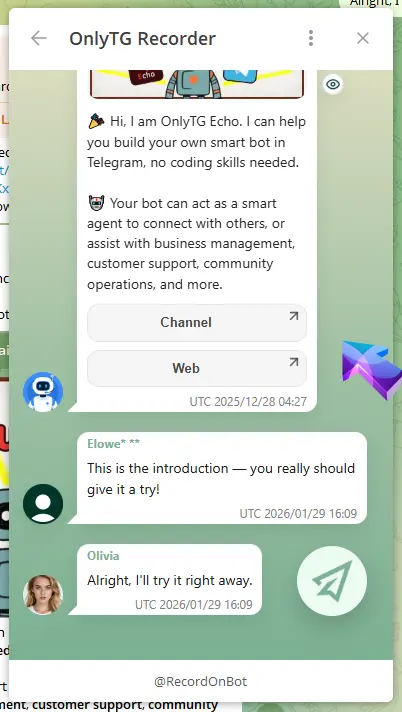
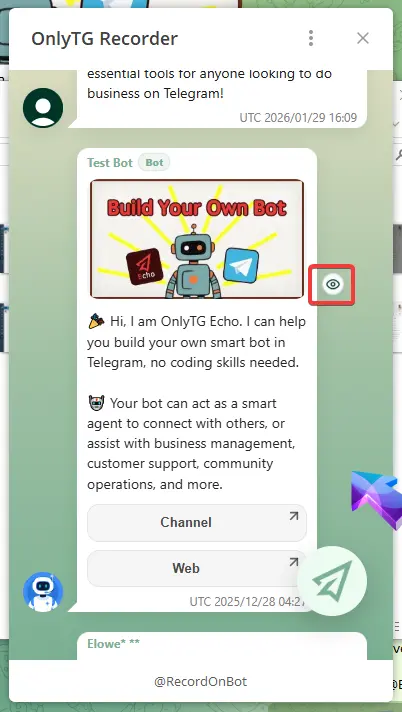
In the detail page, For messages containing files, click the small eye icon on the right side of the message, and Recorder will send the original message to you.
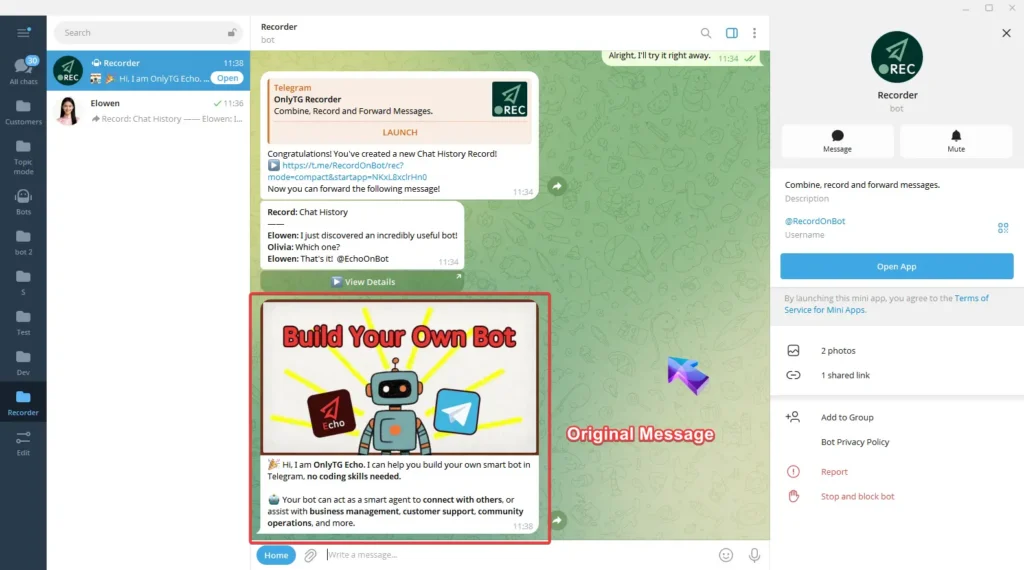
Record Message and Foward

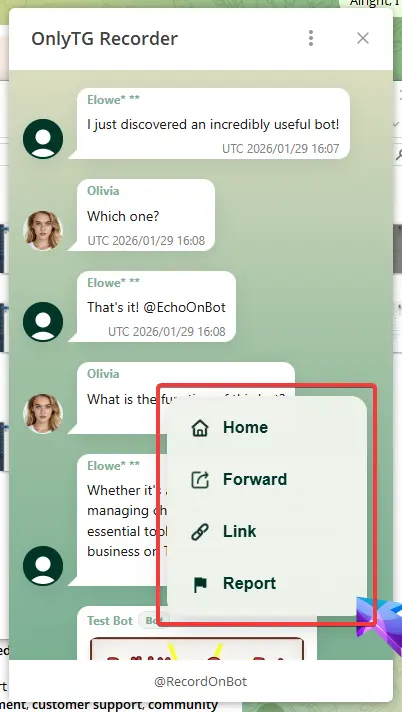
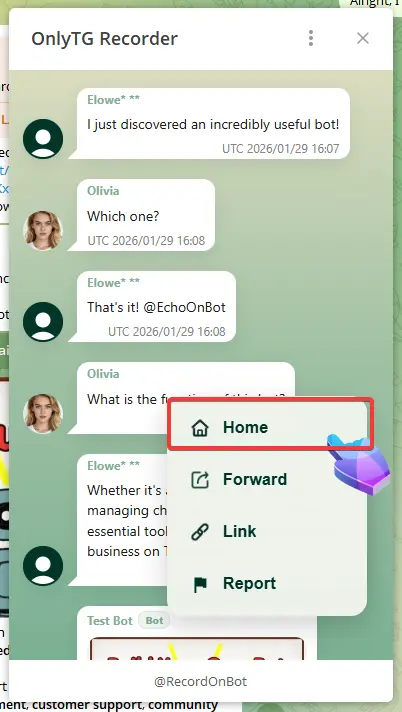
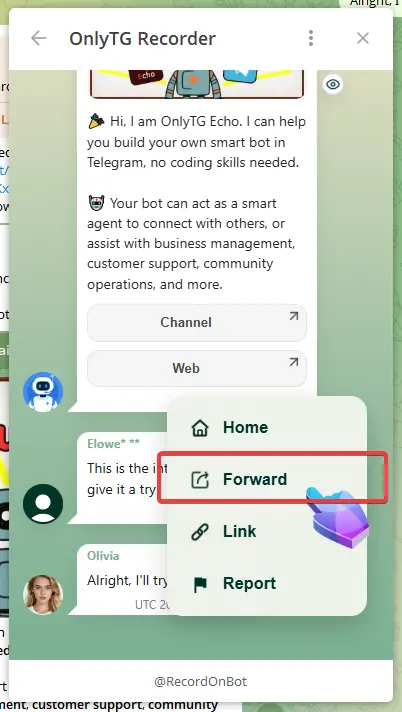
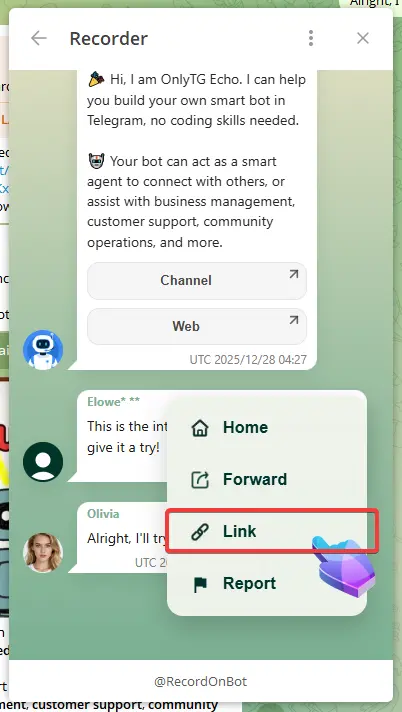
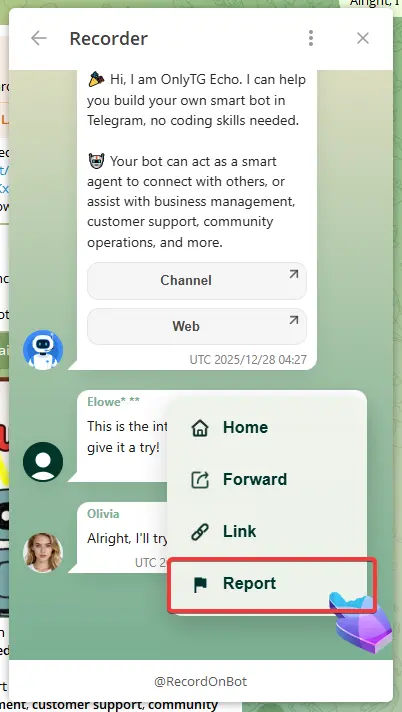
Click the circular button at the bottom right to see the following options:
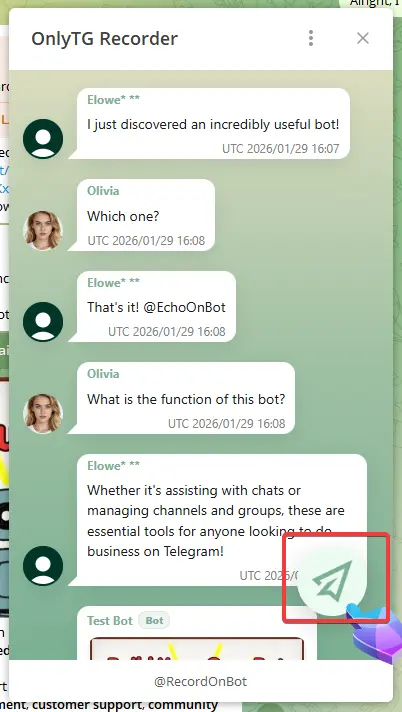
Record Message and Foward

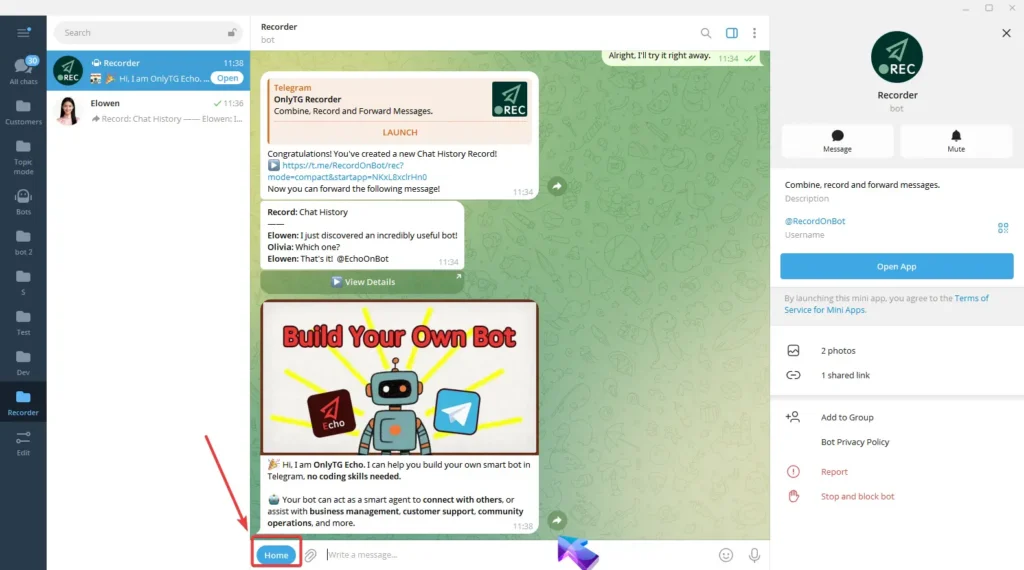
Home: Click to enter the Home page. (You can also access the Home page via the Home button next to the input box in the Bot.)
Record Message and Foward

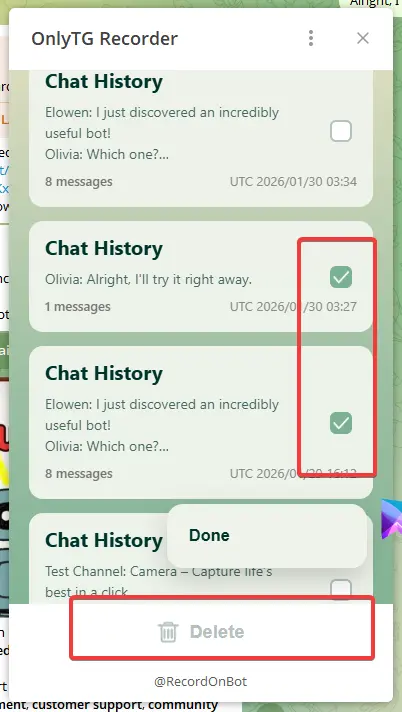
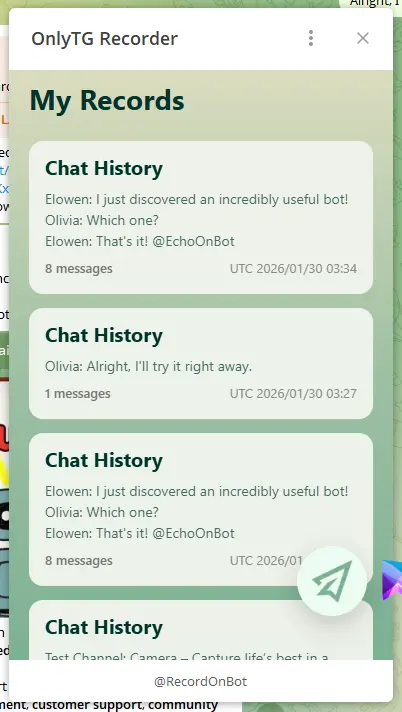
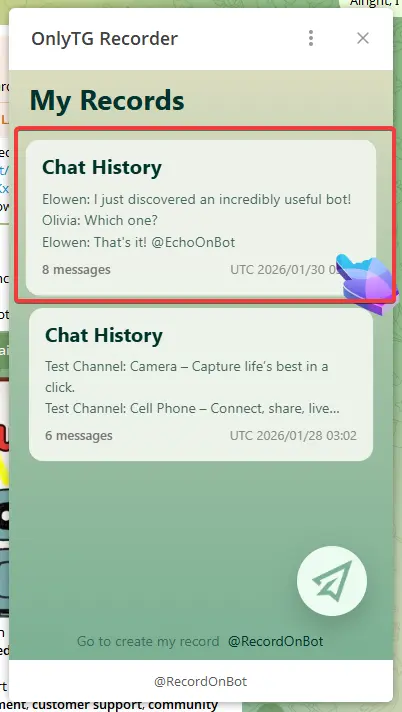
All your recorded chat histories are available on the Home page.
Record Message and Foward

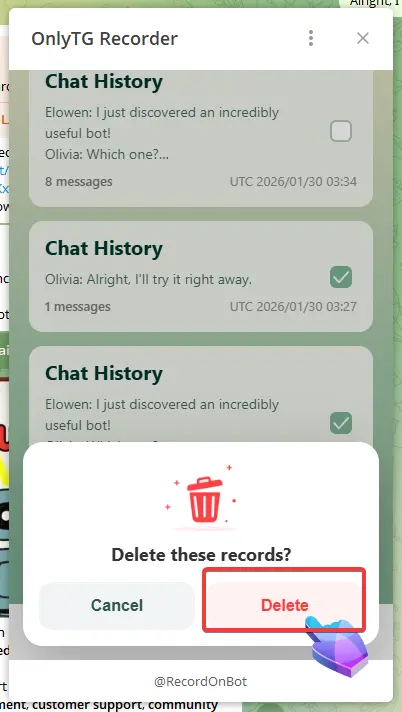
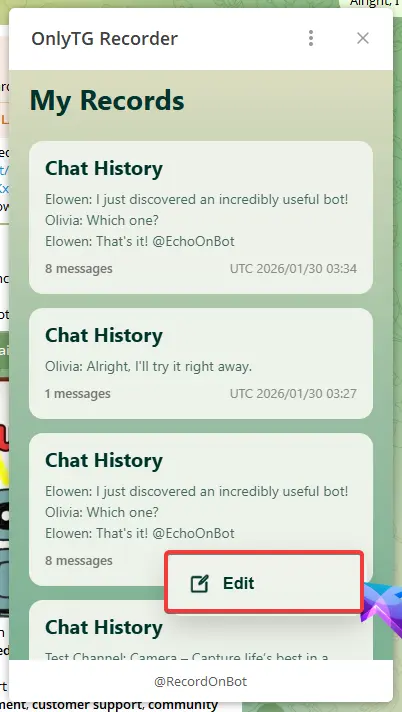
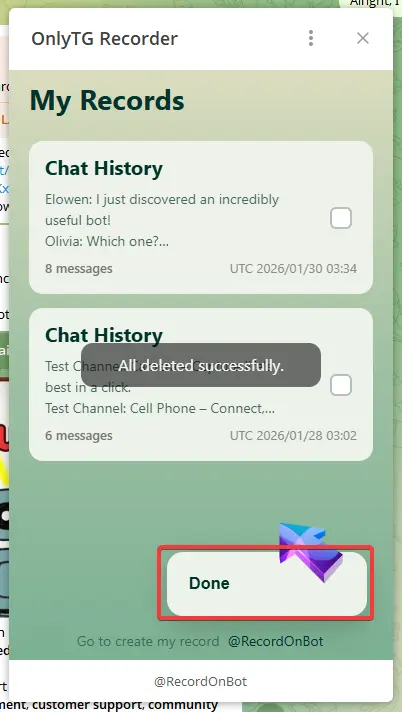
Click the circular button at the bottom right here, then click edit to select multiple chat histories for bulk deletion.
Record Message and Foward

Click Done once the deletion is complete.
Record Message and Foward

Click any Chat History directly to view its detailed content.
Record Message and Foward

Forward: Click to forward this Chat History to other people directly.
Record Message and Foward

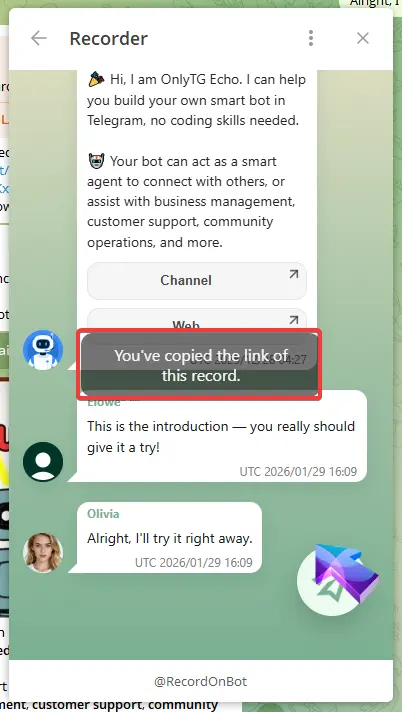
Link: Click to automatically copy the link of this Chat History for you to share with others.
Record Message and Foward

Report: Click to contact the OnlyTG customer support team.
Record Message and Foward

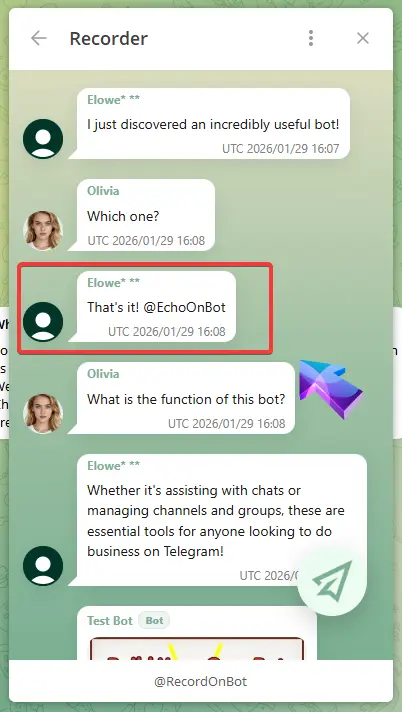
Recorder will anonymize personal users.
Record Message and Foward

If you find that someone has infringed on your personal privacy in the messages forwarded via Recorder, please file a complaint with us.

We will verify and take down the relevant pages within 24 hours of receiving a valid complaint.

Share This Article :

  • Facebook
  • X
  • LinkedIn
IntroductionSave Record
Table of Contents
  • Video Tutorial
    • step 1
    • step 2
    • step 3
  • OnlyTG
  • Echo
  • Recorder
  • Help
  • Blog
OnlyTG EchoTelegram VK YouTube Facebook X Email

© 2026 OnlyTG

Scroll to top
  • Products
    • Echo
    • Recorder
  • Resources
    • Help
    • Blog
Contact us