
If you want a dual telegram account setup in 2026, the safest path is not buying random accounts or using temporary numbers. It is using Telegram’s built-in multi-account support, separate phone numbers, clean privacy settings, and the right device separation method for your use case.
This guide explains what Telegram officially supports, where the limits are, and how to manage two or more profiles without losing access, mixing personal and business chats, or triggering avoidable security problems.
Can You Use a Dual Telegram Account in 2026?
Yes, you can use more than one Telegram account, but there is one rule you cannot skip: each Telegram account needs its own phone number. Telegram treats every phone number as a separate account, so one number cannot hold two independent Telegram profiles at the same time.
Telegram’s official apps support account switching, which means you do not need to log out and log back in every time. On common official clients, free users can usually add up to three accounts, while Telegram Premium may allow one additional account depending on the app and version.
That built-in limit is enough for most people who need one personal profile and one work profile. If you need more, you should think carefully about compliance, account security, notification control, and operational discipline before adding extra layers.
What You Need Before You Start
Prepare the setup before adding accounts. Most problems happen when users rush registration with weak numbers, no recovery plan, or unclear account roles.
- A unique active phone number for every Telegram account.
- Reliable access to SMS or login codes for future sign-ins.
- A clear purpose for each profile, such as personal, support, sales, or community moderation.
- Two-step verification enabled on every account.
- Privacy settings reviewed before joining public groups or channels.
Avoid disposable phone numbers when the account matters. If the provider reassigns the number or you lose access, you may lose the ability to recover the Telegram account.
When a Second Account Makes Sense
A second Telegram account is useful when separation reduces risk or confusion. For example, a founder may want one profile for private contacts and another for investor, customer, or community communication.
It also helps teams avoid using one shared personal identity for public-facing support. A properly labeled business profile looks cleaner and is easier to hand over if a role changes.
- Separate personal chats from business conversations.
- Keep client communities apart from private groups.
- Reduce accidental messages from the wrong identity.
- Test bots, channels, or customer flows from a second profile.
- Control notifications by role instead of treating all chats equally.
Dual Telegram Account Setup Methods Compared
There is no single best setup for everyone. The right method depends on how many accounts you need, what device you use, and how much isolation matters.
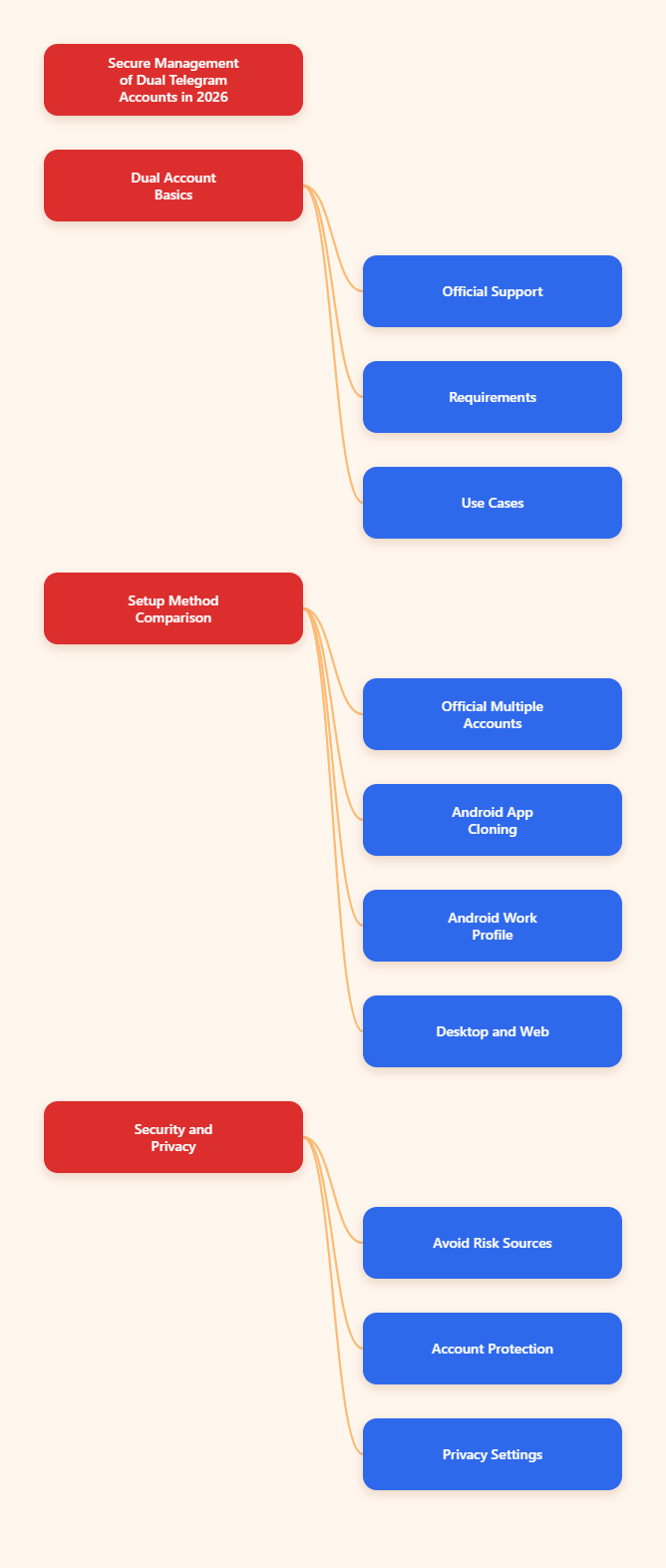
For most users, Telegram’s official multi-account feature is the best starting point. App cloning and work profiles can help when you want stronger separation on Android, while desktop users can combine the official desktop app, web sessions, and separate browser profiles.
| Method | Best For | Practical Limit | Main Risk |
|---|---|---|---|
| Official Telegram app switching | Personal plus work use | Usually 3 accounts, more with Premium in some clients | Notifications and chats can still feel crowded |
| Android Dual Apps or app clone | Users who want two app icons | Depends on phone brand and software | Clone support varies by device |
| Android work profile with Shelter or similar tools | Work and personal separation | Usually one extra isolated app space | Network identity may still be shared |
| Telegram Desktop plus web sessions | PC-based support and moderation | Depends on client and browser sessions | Session sprawl if not documented |
| Buying pre-made accounts | Not recommended | Unreliable | Loss of access, abuse history, policy issues |
Method 1: Use Telegram’s Official Account Switcher
This is the cleanest way to run a dual telegram account setup. You install the official Telegram app, add another account from settings, verify the second phone number, and switch profiles inside the same app.
On mobile, the flow is usually simple: open Telegram settings, tap your profile area or account menu, choose Add Account, enter the second number, and complete verification. After that, you can switch between accounts without logging out.
Use this method if you only need two or three accounts and do not require strict app-level separation. It is stable, familiar, and less likely to create a confusing device setup.
Method 2: Use Android Dual Apps or Clone Apps
Many Android phone makers include app cloning features. Samsung commonly offers Dual Messenger, Xiaomi has Dual Apps, OnePlus uses Parallel Apps, and OPPO or vivo devices may provide similar options depending on region and software version.
This creates a second Telegram app icon, allowing you to sign in with another number. It can feel more natural because your work Telegram and personal Telegram appear as separate apps.
- Open Android settings and search for Dual Apps, Clone Apps, Dual Messenger, or Parallel Apps.
- Choose Telegram if it appears in the supported app list.
- Enable the clone and open the new Telegram icon.
- Register or log in with your second phone number.
- Rename icons or adjust notification sounds to avoid mistakes.
The limitation is inconsistency. Some phones support Telegram cloning well, while others only support selected apps or remove the feature after software updates.
Method 3: Use a Work Profile for Better Separation
Android work profiles create a separate space for work apps and data. Tools such as Shelter use Android’s work profile feature to install or clone apps in a separate environment without rooting the phone.
This is helpful when you want a stronger boundary between private apps and professional apps. You can keep work Telegram separate, pause work apps after hours, and reduce accidental cross-use.
However, a work profile is not magic anonymity. Both profiles may still use the same device network, carrier connection, or Wi-Fi unless you separately manage connectivity.
How to Set Up a Dual Telegram Account Step by Step
The following workflow keeps the setup simple and recoverable. It works whether you are using the official account switcher or a separate cloned app.
Step 1: Choose the Right Phone Number
Use a number you control long term. A physical SIM, eSIM, or reputable virtual number can work, but the key requirement is reliable future access.
Do not use a temporary public SMS inbox for any account you care about. Those numbers are often reused, visible to others, and unsafe for account recovery.
If the account is for a brand, document who owns the number, where it is billed, and how recovery codes are handled. This prevents a support account from being trapped on a former employee’s personal number.
Step 2: Add the Account in Telegram
Open Telegram and go to the account section in settings. Select the option to add another account, enter the second phone number, and complete the verification process.
After login, immediately set the profile name, username, photo, and bio so it is clear which identity you are using. This small step prevents wrong-account replies later.
For a business profile, keep the username professional and consistent with your brand. Avoid names that look like spam, impersonation, or temporary campaigns.
Step 3: Lock Down Security
Telegram supports two-step verification, which adds a password requirement when signing in from a new device. Enable it on every account, not just your main profile.
- Go to Settings.
- Open Privacy and Security.
- Select Two-Step Verification.
- Create a strong password you can store safely.
- Add a recovery email if available and verify it.
Then review active sessions. Remove devices you do not recognize, old browsers, abandoned desktops, and test sessions that are no longer needed.
Privacy Settings Every Second Telegram Account Needs
A second account is only useful if it protects the boundary you wanted in the first place. Before joining groups, messaging customers, or posting in channels, check privacy settings.
Hide or Limit Phone Number Visibility
Telegram lets you control who can see your phone number. In many cases, the best setting for a public-facing account is Nobody for visibility and a limited option for who can find you by number.
Go to Privacy and Security, open Phone Number, and decide who can see your number and who can find you using it. This is especially important for community managers who interact with strangers daily.
Remember that people who already saved your number may have different visibility depending on your contact relationship and settings. Test the profile from another account if privacy is critical.
Control Groups, Calls, and Forwarding
Public Telegram accounts attract random group invites, calls, and forwarded-message exposure. Adjust these settings before the account becomes visible.
- Limit who can add you to groups and channels.
- Restrict voice calls if the account is for text support only.
- Review profile photo visibility for public accounts.
- Control forwarded message attribution where possible.
- Use usernames instead of phone numbers for public contact.
These controls reduce spam and social engineering attempts. They also make the account easier to manage at scale.
Separate Contacts and Notifications
Contact syncing can blur the line between accounts. If your second profile should not discover or expose personal contacts, be careful before enabling contact upload.
For notifications, use distinct sounds, badges, or app icons. A support account should not look or sound exactly like your private account if fast replies matter.
Small interface choices prevent costly mistakes, especially when you switch accounts many times per day.
Managing Multiple Telegram Accounts Without Getting Overwhelmed
Once your dual telegram account setup works, the next challenge is daily management. The goal is not just adding accounts; it is keeping them organized, secure, and useful.
Create Account Roles
Write down the purpose of every account. A simple role map stops account drift, where one profile slowly becomes personal, sales, support, and admin all at once.
- Personal: friends, family, private groups.
- Business: clients, partners, brand communication.
- Support: customer questions and issue triage.
- Community: moderation, announcements, and group presence.
- Testing: bot flows, channel previews, and QA checks.
If an account has no defined role, you probably do not need it. Fewer well-managed accounts are safer than many neglected ones.
Use Folders and Pinned Chats
Telegram folders help separate unread messages by priority. Use folders such as Clients, Internal, Communities, Bots, and Urgent so you do not treat every notification equally.
Pin only the chats that deserve immediate attention. Too many pinned chats become another noisy inbox.
For support accounts, combine folders with saved reply templates. This keeps answers consistent without relying on unsafe automation or spam behavior.
Review Sessions Monthly
Multiple accounts often mean multiple devices. Every month, check active sessions on each profile and remove anything outdated.
This is especially important if you use Telegram Desktop, web sessions, shared workstations, or temporary project devices. Forgotten sessions are one of the easiest ways to leak access.
Keep a private record of which devices should be logged in. If a session appears that is not on the list, remove it and change your two-step verification password.
Common Mistakes to Avoid in 2026
Most account problems are preventable. The risky shortcuts look convenient at first, but they often create recovery, trust, or policy issues later.
Using Temporary Numbers
Temporary numbers are risky because account ownership depends on future access to that number. If someone else receives the number later, your account recovery can become impossible or unsafe.
Use a number you can keep. For a business, the number should belong to the company, not a random contractor.
Buying Telegram Accounts
Buying pre-made accounts is not a clean solution. You may inherit abuse history, lose access when recovery checks appear, or violate platform rules depending on how the accounts were created and used.
Create accounts yourself with legitimate numbers and documented ownership. It takes longer, but it is far safer.
Automating Like a Spammer
Telegram accounts should not be used for spam, manipulation, impersonation, or unsolicited mass outreach. Multiple accounts do not make abusive behavior safer.
If you manage communities or customer support, focus on permission-based communication, clear identity, and useful replies. That approach protects both deliverability and reputation.
Final Checklist for a Safe Dual Telegram Account
A good dual telegram account setup is boring in the best way: stable numbers, clear roles, locked-down security, and predictable daily workflows.
- Use one unique, long-term phone number per account.
- Start with Telegram’s official account switcher unless you need stronger separation.
- Enable two-step verification and verify recovery email where available.
- Hide or limit phone number visibility before joining public spaces.
- Use folders, pinned chats, and notification differences to avoid mistakes.
- Review active sessions every month and remove old devices.
In 2026, the safest way to run a dual telegram account is not chasing unlimited profiles. It is building a setup you can actually control, recover, and use responsibly every day.