
If you want one Telegram space for personal life and another for work, support, trading groups, or community management, a dual telegram chat setup can save time and reduce mistakes. The challenge is doing it without breaking account rules, losing notifications, or mixing private contacts with business conversations.
This guide explains the safe, practical options available in 2026. It focuses on what Telegram officially supports, where Telegram Web is limited, and how to keep each account organized across mobile, desktop, and browser sessions.
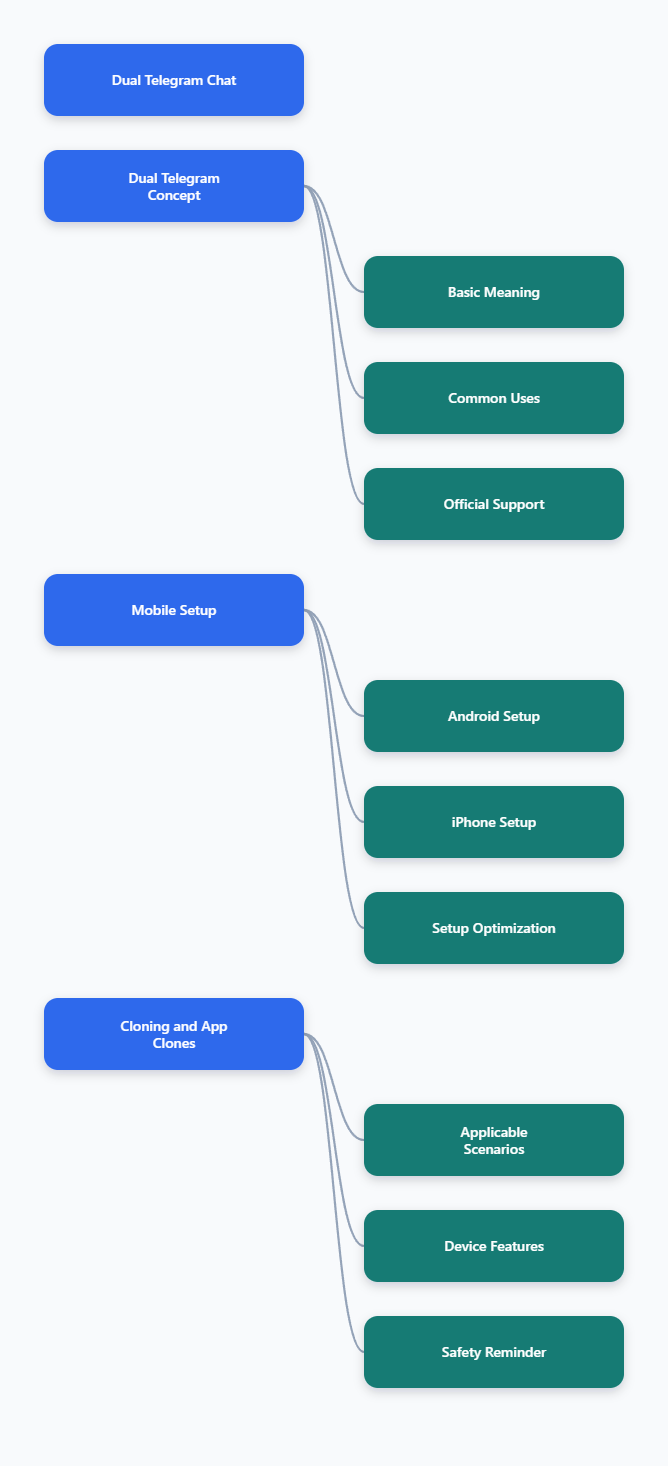
What Dual Telegram Chat Means in 2026
Dual Telegram chat usually means running two Telegram identities side by side. For example, one account may be linked to your personal number, while another is linked to a business, project, or community number.
It does not mean creating two accounts with the same phone number. Telegram treats a phone number as the account identifier, so one number cannot normally hold two separate Telegram accounts.
Common Use Cases
People set up two Telegram accounts for practical reasons, not just convenience. The most common use cases are clear and easy to understand.
- Personal and work separation: keep family chats away from client messages.
- Customer support: handle public inquiries from a dedicated business account.
- Community management: manage channels, groups, bots, and admin chats separately.
- Privacy control: avoid exposing a personal phone number to public communities.
- Regional operations: use separate numbers for different markets or teams.
A clean dual-account setup reduces the risk of replying from the wrong profile. It also makes notification filtering, security audits, and account recovery easier.
What Telegram Officially Supports
Telegram has supported multiple accounts in its apps for years. Telegram’s own materials state that users with multiple phone numbers can switch between accounts without logging out.
Most current guides report that the official app supports up to three accounts for regular users, while some sources say Telegram Premium may allow more on certain clients. Because limits can vary by app version and platform, the safest rule is to check the Add Account screen inside your own Telegram app.
Each added account must be verified. That means you need access to the phone number or another approved verification method when Telegram asks for a login code.
How to Set Up Dual Telegram Chat on Mobile
For most users, the mobile app is the easiest place to start. Telegram on Android and iPhone supports account switching inside the official app, so you usually do not need a cloned app just to run two accounts.
Before adding the second account, make sure the second phone number is active. If the number is temporary or cannot receive future verification codes, account recovery can become painful later.
Android Setup
On Android, open Telegram and go to the account menu from the side panel or settings area. Tap Add Account, choose the country code, enter the second phone number, and complete verification.
After the second account is added, you can switch between accounts from the same menu. Telegram normally shows notifications for all active accounts, which helps if you manage support or community messages.
Use these settings after setup:
- Rename profiles clearly: use a business name, region, or role in the profile.
- Set different avatars: visual separation prevents wrong-account replies.
- Adjust notifications: mute low-priority groups on the business account.
- Review contacts sync: avoid uploading personal contacts to a work profile unless needed.
iPhone Setup
On iPhone, open Telegram, go to Settings, tap the account area or edit option, and choose Add Another Account. Enter the second number and verify it with the code Telegram sends.
Once added, switching accounts takes only a few taps. This is better than logging out because logging out can interrupt notifications and create confusion when you need to respond quickly.
If you use iCloud backups, shared contacts, or business devices, review contact permissions carefully. The goal is not only to add a second account, but to keep the data boundaries clean.
When App Cloning Helps
Some Android phones include native app cloning features. Samsung has Dual Messenger, Xiaomi and POCO devices offer Dual Apps, and brands such as OPPO and OnePlus include similar parallel-app features on many models.
App cloning can be useful when you want separate app icons, separate notification channels, or a more visible split between personal and work Telegram. However, it is not always necessary because Telegram already supports multiple accounts inside the official app.
Use cloning only if it improves your workflow. Avoid unknown clone apps that request excessive permissions or promise unlimited accounts without explaining how data is stored.
Dual Telegram Chat on Desktop and Web
Desktop workflows are different from mobile. Telegram Desktop supports multiple accounts, while Telegram Web is more limited because browser sessions depend on cookies, local storage, and browser profiles.
If your daily work happens on a laptop, plan the setup before logging into many accounts. A messy browser setup can lead to accidental logouts, missed messages, or unclear notification behavior.
Telegram Desktop
The official Telegram Desktop app is usually the best option for two or three accounts on a computer. Add the second account through the app’s account menu, verify the phone number, and switch profiles from the sidebar.
Desktop is useful for teams that write long replies, manage files, or moderate large communities. It also avoids some of the session conflicts that happen when users try to force multiple accounts into one browser profile.
Keep the desktop app updated. Multi-account behavior, shortcut support, and session controls can change as Telegram releases new versions.
Telegram Web
Telegram Web is convenient, but it is normally designed around one active account per browser profile. If you log into another account in the same profile, you may replace the current session or create confusion.
For a simple two-account workflow, use separate browser profiles. For example, keep one account in your main Chrome profile and another in a dedicated work profile.
Practical browser options include:
- Separate browser profiles: best for stable, repeat use.
- Different browsers: one account in Chrome, another in Firefox or Edge.
- Private windows: useful for temporary access, but not ideal for daily work.
- Workspace browsers: helpful if you already use a tool that separates sessions.
Be cautious with browser extensions that claim to manage many Telegram accounts. Extensions can access browser data depending on their permissions, so only use tools you trust and understand.
Comparison Table
| Method | Best For | Strengths | Limitations |
|---|---|---|---|
| Official mobile app | Most users | Fast switching, official support, reliable notifications | Account cap depends on app limits |
| Telegram Desktop | Work and community management | Good typing experience, file handling, stable sessions | Needs desktop access and updates |
| Telegram Web profiles | Browser-based workflows | Separate sessions without extra devices | One account per browser profile is safest |
| Android app cloning | Separate app icons | Clear visual separation | Varies by phone brand and may duplicate storage |
| Temporary numbers | Short-term testing only | Quick setup in some cases | High recovery risk if number is lost |
Security Rules for Dual Telegram Chat
Running two accounts is not risky by itself. The risk comes from weak recovery, poor number control, shared devices, and careless session management.
Telegram’s privacy materials explain that phone numbers are used as unique identifiers. That means your number strategy is also your account recovery strategy.
Use Reliable Phone Numbers
For long-term accounts, use numbers you can control. A physical SIM, business mobile line, or stable eSIM is usually safer than a disposable number because you may need that number again for verification.
Avoid building an important business Telegram account on a number you cannot recover. If the provider recycles it, cancels it, or blocks SMS, you may lose access when Telegram requests verification.
Before creating the second account, ask yourself:
- Can I receive codes next month?
- Can I prove ownership if the SIM is lost?
- Is the number assigned to the right person or company?
- Will the number remain active if a contractor leaves?
Turn On Two-Step Verification
Two-step verification adds a password on top of the login code. This is especially important for business, admin, or public-facing accounts.
Set a strong password and add a recovery email that your company or trusted owner controls. Do not use the same password across both Telegram accounts.
Also review Active Sessions regularly. Log out of old phones, unknown browsers, temporary laptops, and devices that no longer belong to your team.
Separate Contacts and Notifications
Dual accounts work best when each account has a clear purpose. If both accounts sync the same contacts, join the same groups, and use identical names, mistakes become more likely.
Create a simple operating rule. Personal chats stay personal, business chats stay business, and admin groups belong only on the account that needs them.
Helpful separation tactics include:
- Different usernames: make each account easy to identify.
- Different profile photos: avoid visual confusion during fast replies.
- Different notification tones: know which account received a message.
- Limited contact sync: reduce unwanted cross-over between address books.
- Pinned priority chats: keep urgent channels at the top of the right account.
Workflow Tips for Business and Community Teams
A dual telegram chat setup becomes more valuable when it is part of a repeatable workflow. This is true for agencies, creators, crypto communities, SaaS support teams, and local service businesses.
The goal is not just to have two accounts. The goal is to respond faster, protect privacy, and keep records easier to understand.
Create Account Roles
Give each Telegram account a defined role. For example, Account A handles public community messages, while Account B handles client operations or admin coordination.
Do not let every account do everything. Overlapping roles create missed replies and make it harder to know who owns a conversation.
A simple role map may look like this:
- Personal account: private contacts, friends, family, personal groups.
- Business account: leads, customers, support chats, vendor messages.
- Community account: group moderation, channel posting, bot management.
Build a Daily Check Routine
Multiple accounts can create notification fatigue. Instead of reacting to every alert, build a check routine based on priority.
For example, review customer chats every hour, community reports twice a day, and low-priority groups at the end of the day. Pin urgent chats and archive noisy threads that do not need attention.
Use saved messages or a team task tool for follow-ups. Telegram is good for communication, but it should not be the only place where important business tasks live.
Avoid Risky Scaling
Some users look for ways to run dozens of Telegram accounts on one computer. That may be necessary for certain operations, but it also increases privacy, compliance, and security risk.
If you only need dual Telegram chat, stay with official apps and separate browser profiles. Do not buy unknown accounts, share login codes, or rely on temporary verification numbers for important work.
For teams, document who owns each number, which email recovers each account, and which devices are approved. A simple spreadsheet can prevent serious access problems later.
Troubleshooting Common Problems
Most dual-account issues come from verification, notifications, sessions, or account confusion. Start with the simplest fix before reinstalling the app or changing numbers.
Verification Code Problems
If you do not receive a code, check whether Telegram sent it to another logged-in device before sending SMS. Telegram often delivers login codes inside existing Telegram sessions when possible.
Make sure the number is active, roaming is enabled if needed, and the country code is correct. If the number was recently recycled or used by another person, recovery may be complicated.
Missing Notifications
Check notification settings for each account, not just the app. One Telegram account can be muted while the other still sends alerts.
On mobile, also review system-level notification permissions, battery optimization, focus modes, and background data settings. These settings can block alerts even when Telegram is configured correctly.
Wrong Account Replies
If you often reply from the wrong account, improve visual separation. Change profile photos, names, chat wallpaper, and notification tones.
For high-stakes accounts, slow down before replying in admin groups or customer chats. A two-second account check is faster than explaining a message sent from the wrong identity.
Final Checklist for Dual Telegram Chat
A reliable dual telegram chat system in 2026 is not complicated. Use one unique phone number per account, keep recovery under your control, and choose the official app, desktop app, or separate browser profiles based on how you work.