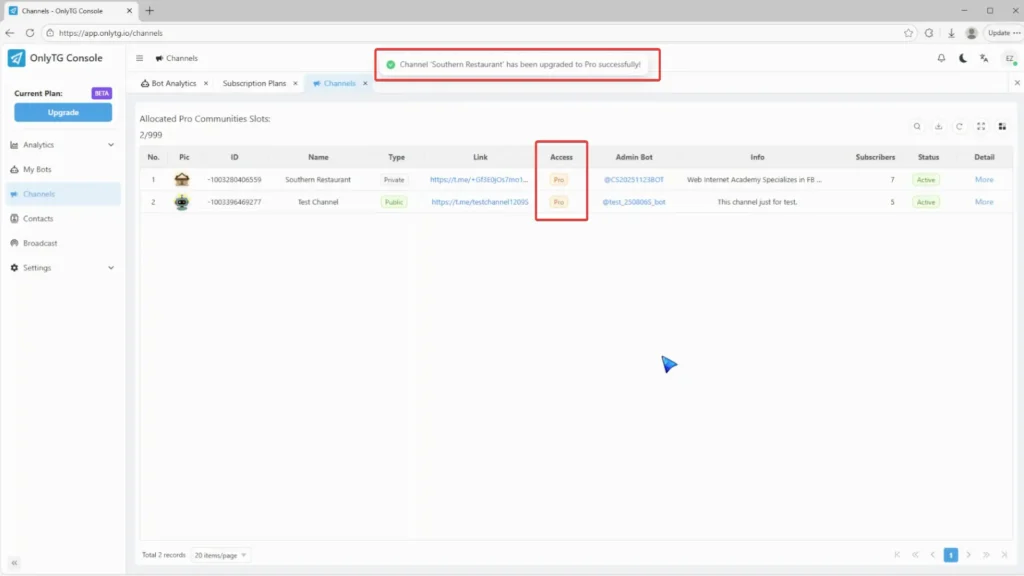
OnlyTG Echo 提供将你的频道升级为 Pro Channel 的功能。这将消耗你的 Pro Communities slots 并解锁更多高级功能。
视频教程
步骤 1
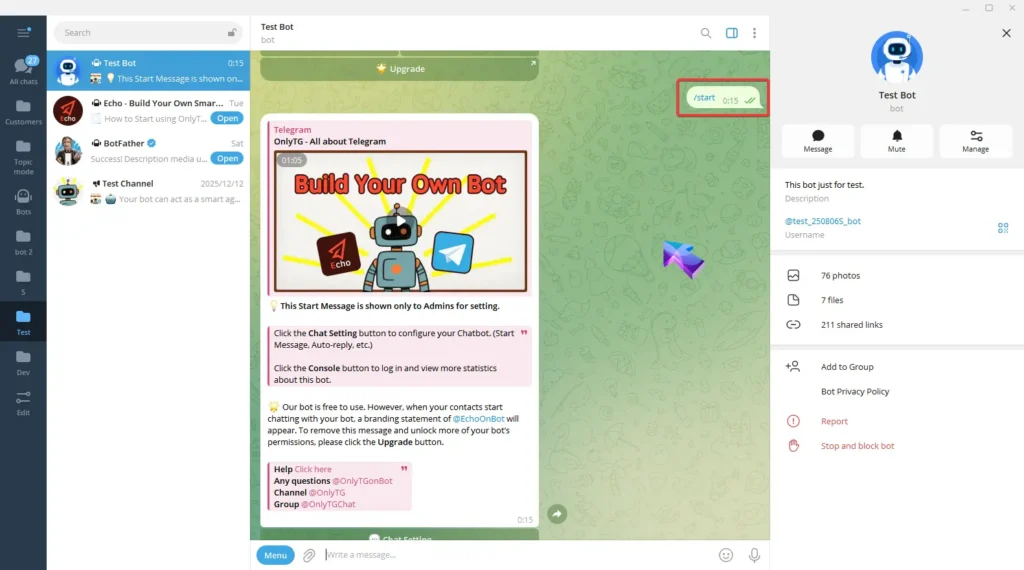
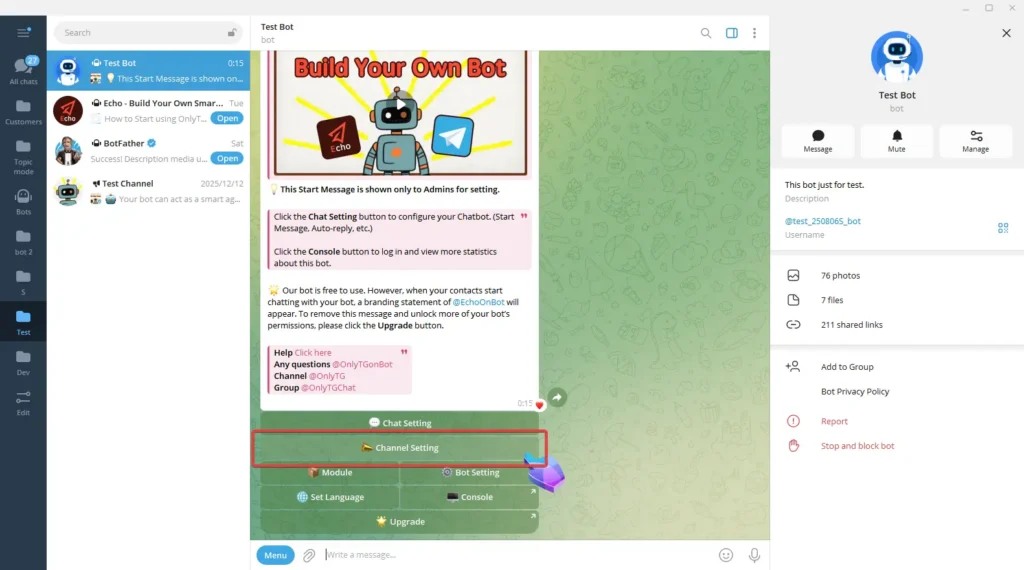
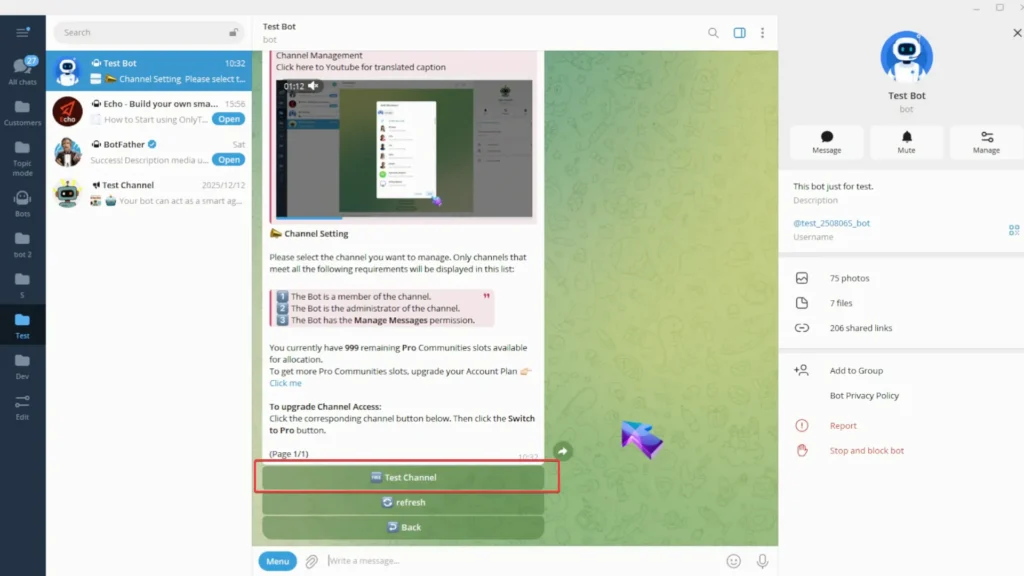
向你的 Bot 发送 /start 命令,然后点击 Channel Setting。
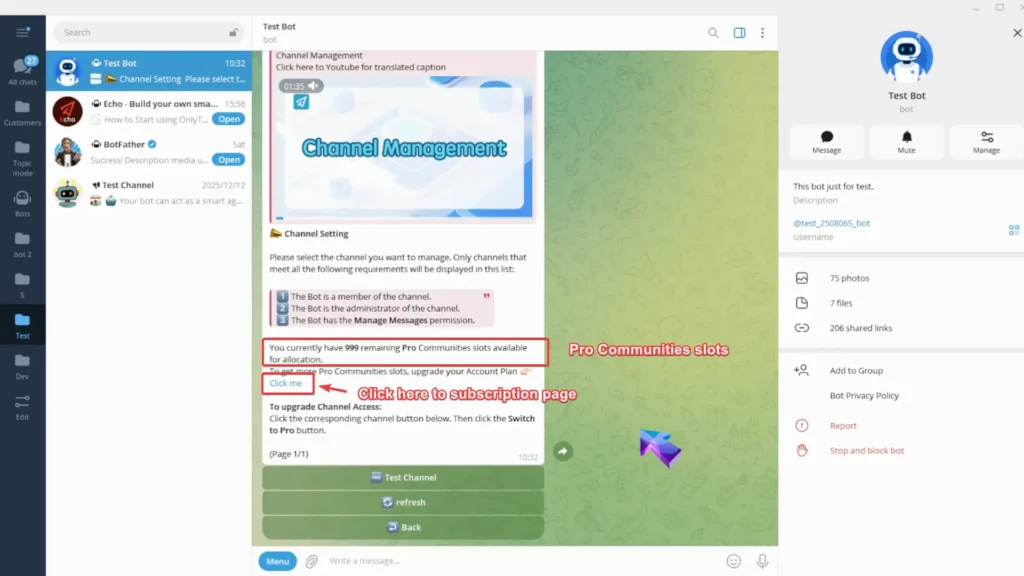
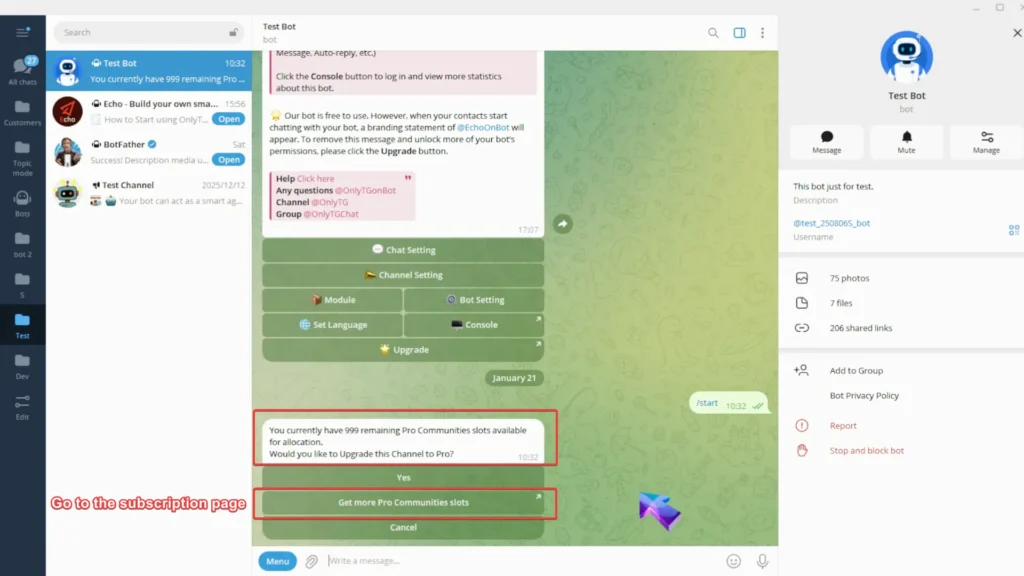
在这里你可以看到你目前可分配的 Pro Communities slots 数量。如果你的 slots 不够,点击这里前往订阅页面并升级你的账号套餐。
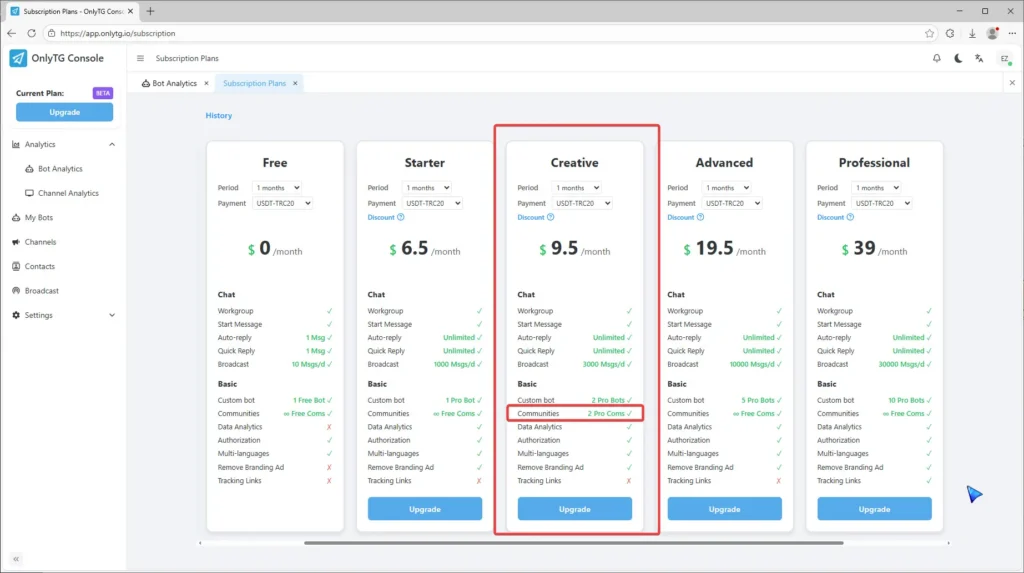
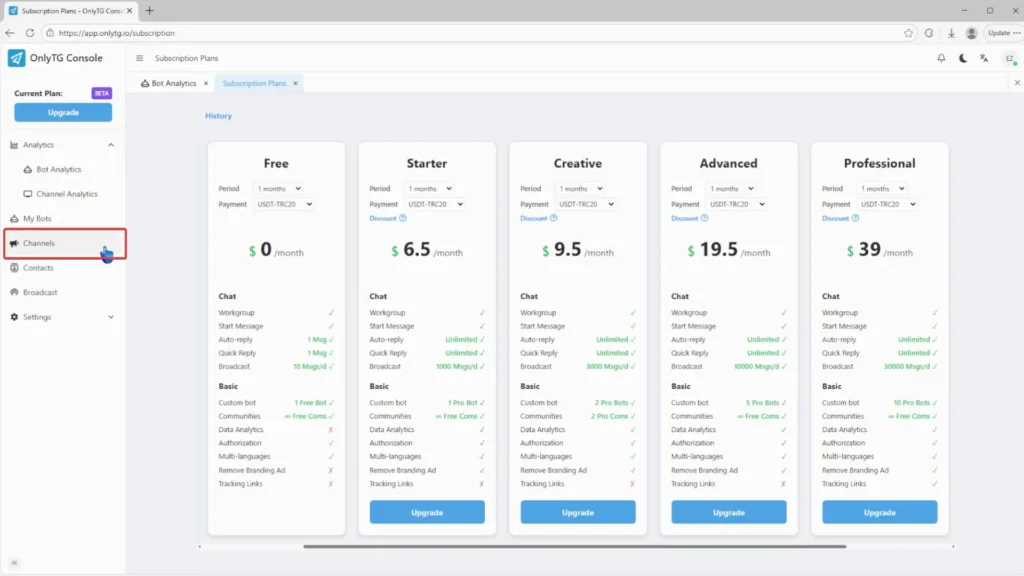
在订阅页面中,Communities 部分里带有 Pro Com 的套餐都会增加你的 slot 数量。
步骤 2
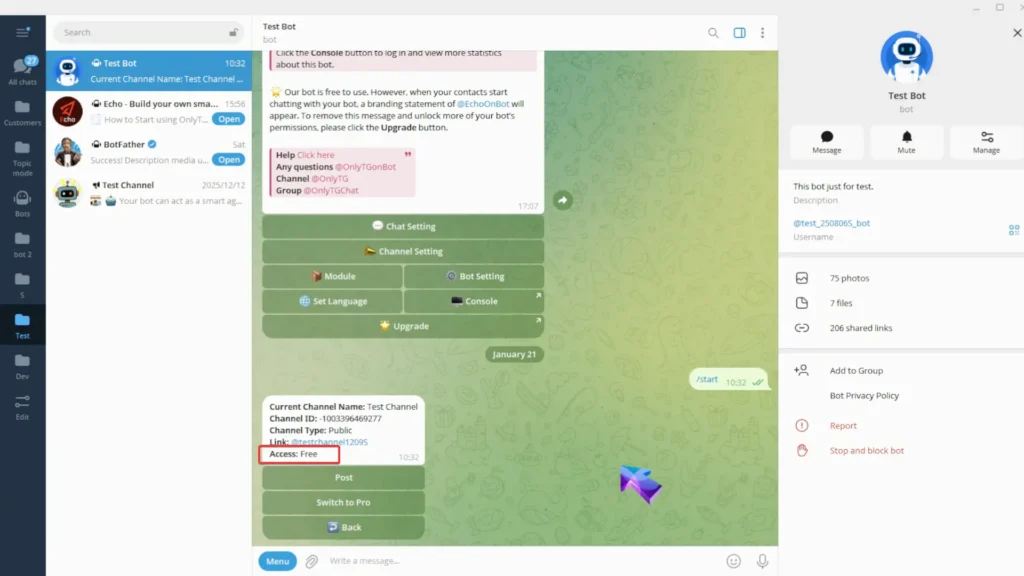
选择你的频道。这个频道访问权限是 免费的。
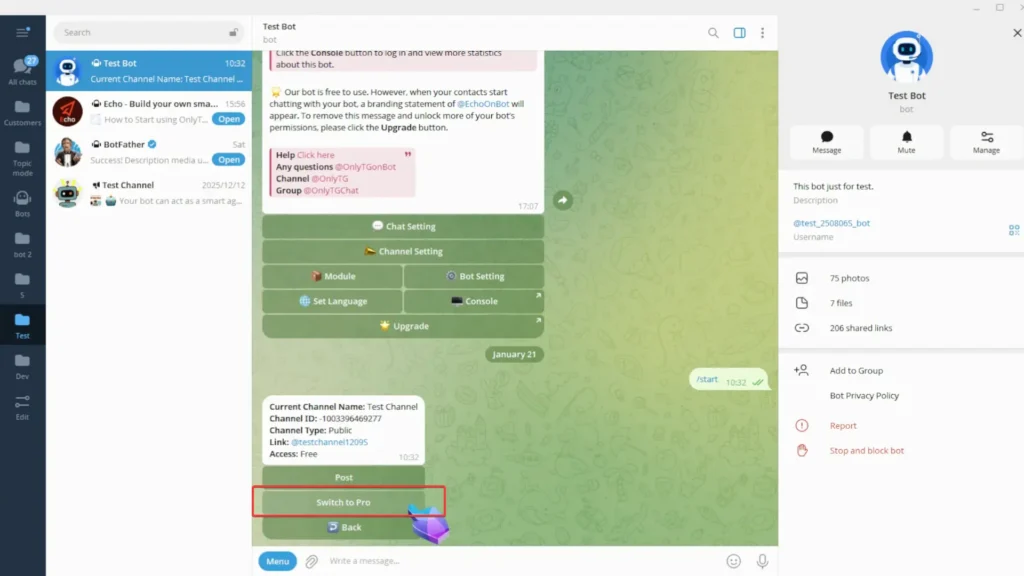
点击 Switch to Pro。
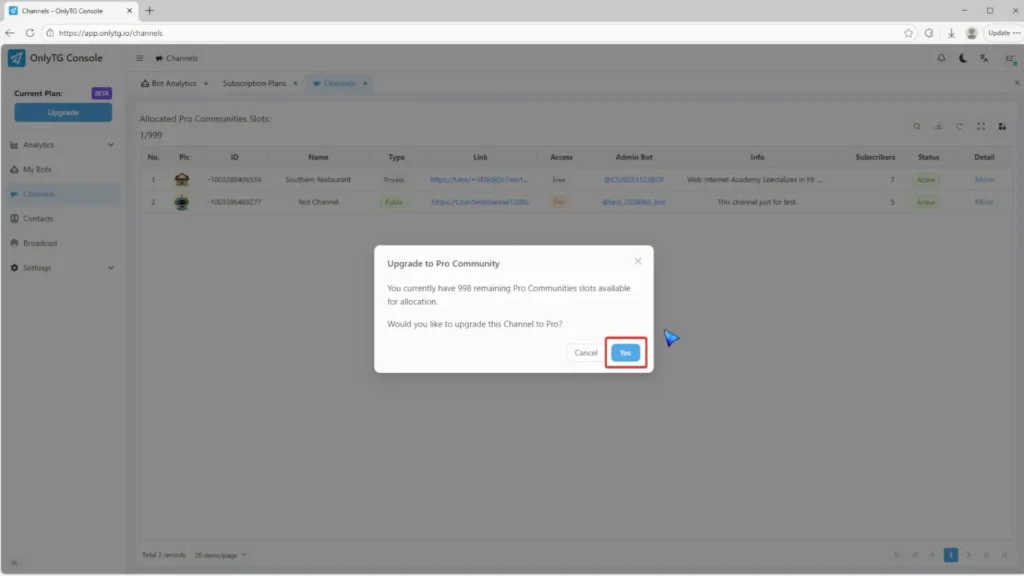
这里会 提醒 你剩余的 Pro Communities slots 数量,你也可以点击 button 快速前往订阅页面。
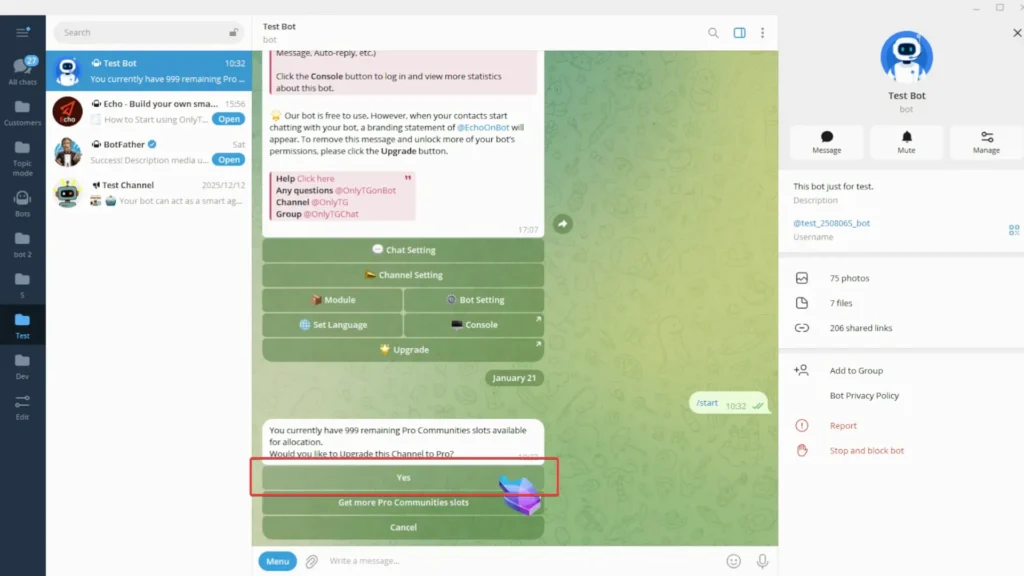
当你有足够的 Pro Communities slots 时,只需点击 Yes。
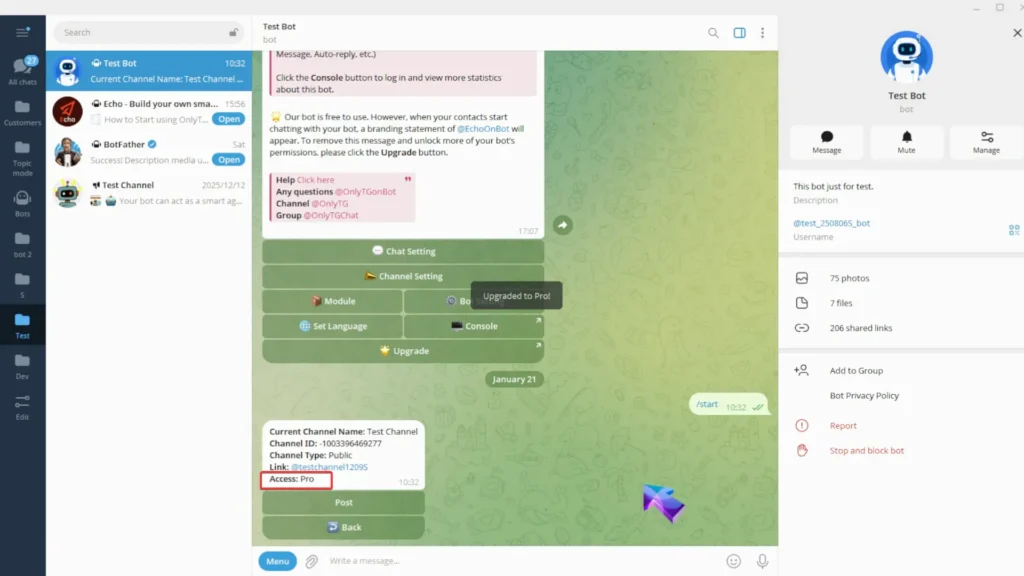
你的频道现在已成功升级访问权限为 Pro。
另外,你也可以在 OnlyTG Console 中升级你的频道。(app.onlytg.io)
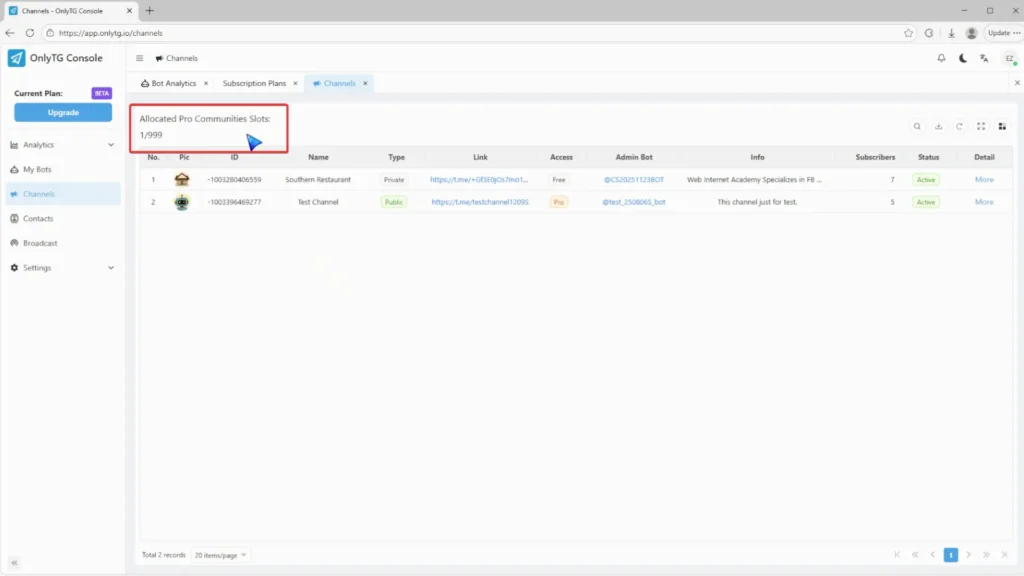
在 OnlyTG Console 中点击 Channel。
查看 Allocated Pro Community Slots.
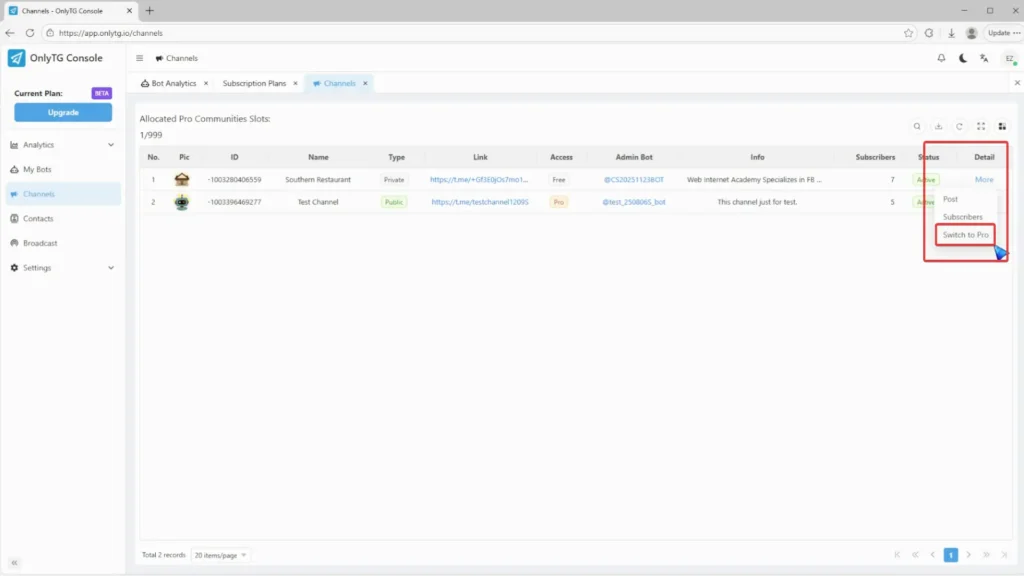
从 More 菜单中点击 Switch to Pro。
点击 Yes.
你的频道已成功升级为 Pro channel。