OnlyTG Echo provides the function to Edit Channel Post via your bot. Firstly, you need to create a new bot via @botfather and send its token to the OnlyTG Echo. After that, you will get a chatbot that can relay messages between you and your contacts. Here is the link on how to build a new bot: https://onlytg.com/how-to-create-a-new-bot-on-telegram-without-code-skills/
Video Tutorial
step 1
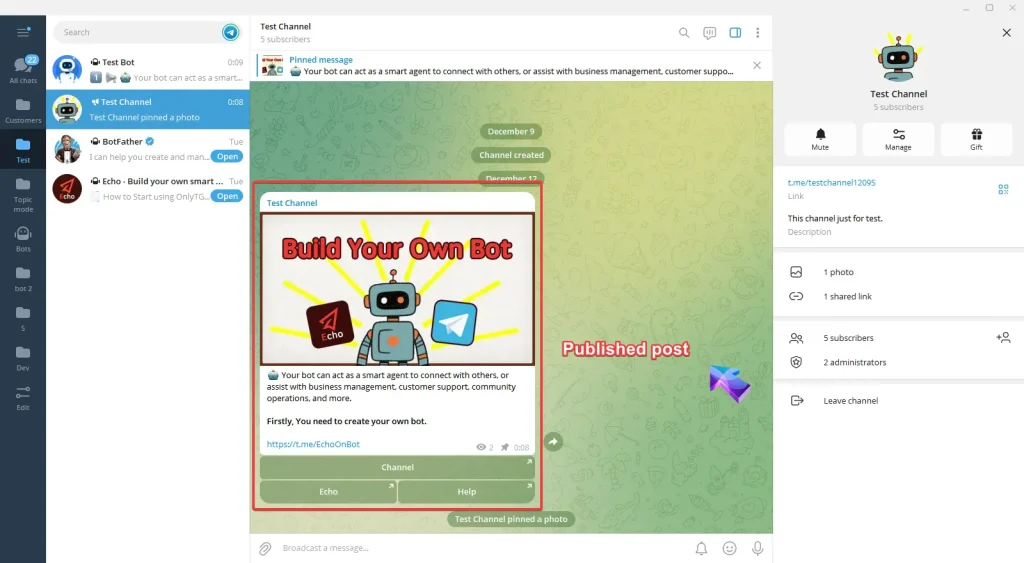
Published Post
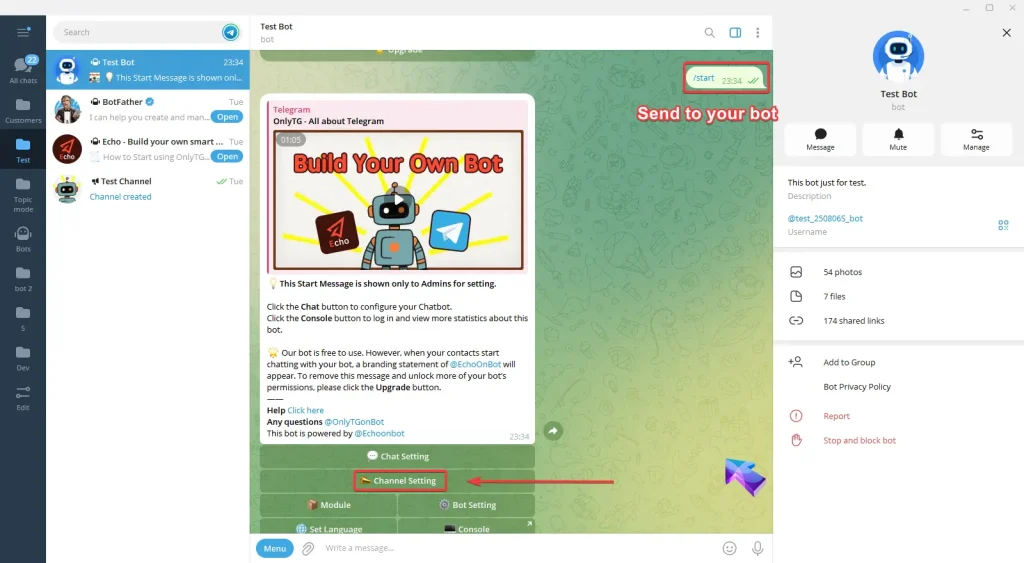
Send /start command to your bot and click Channel Setting button.
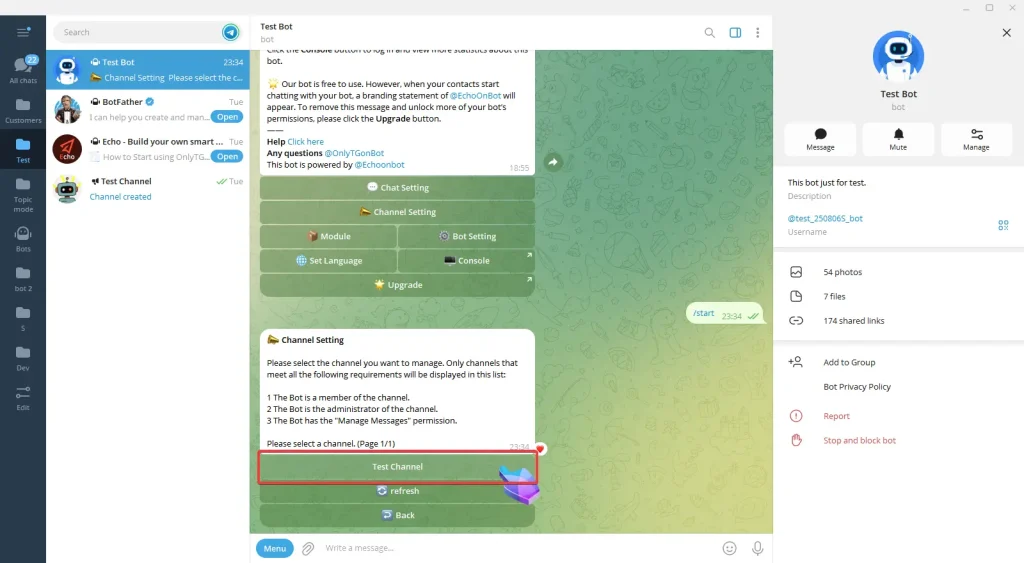
Now select your channel and you can view the channel’s basic information. (Click here to learn how to add channels?)
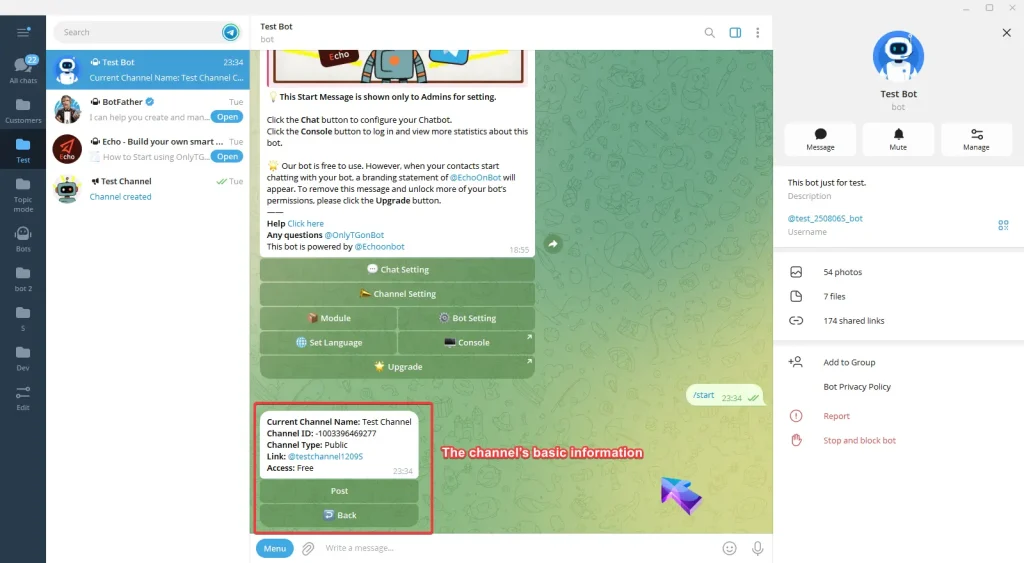
Click Post button and then My Post button.
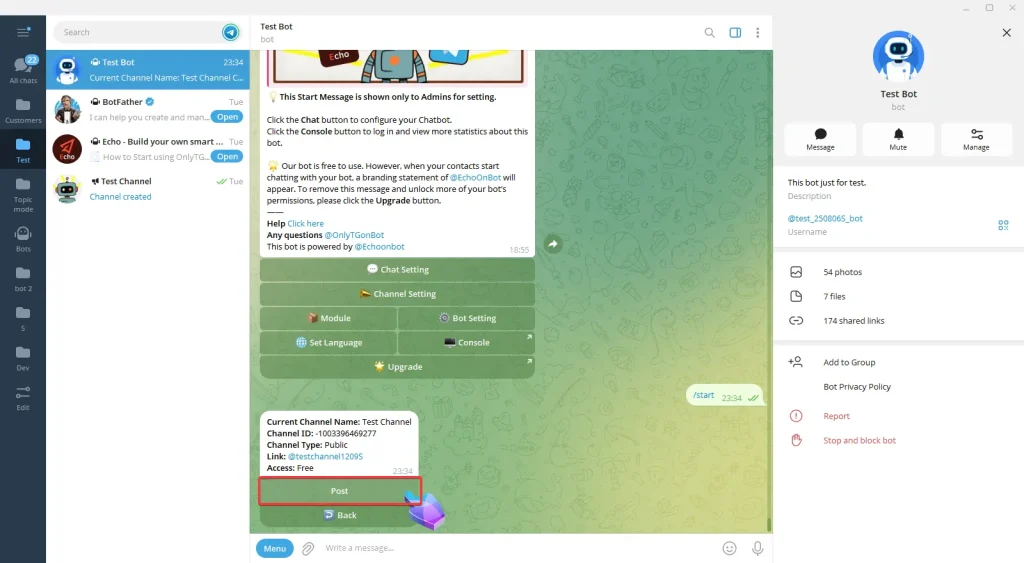
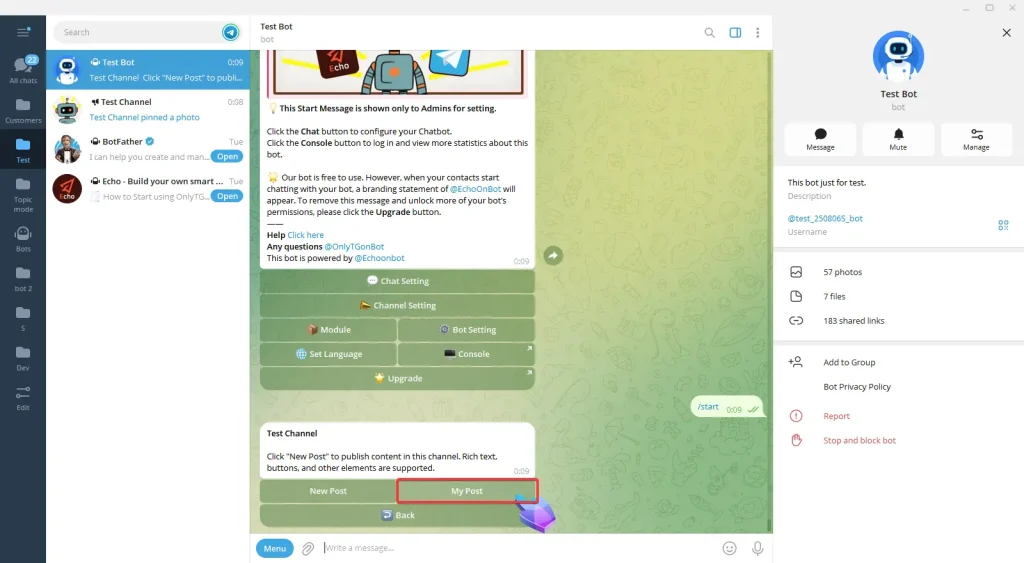
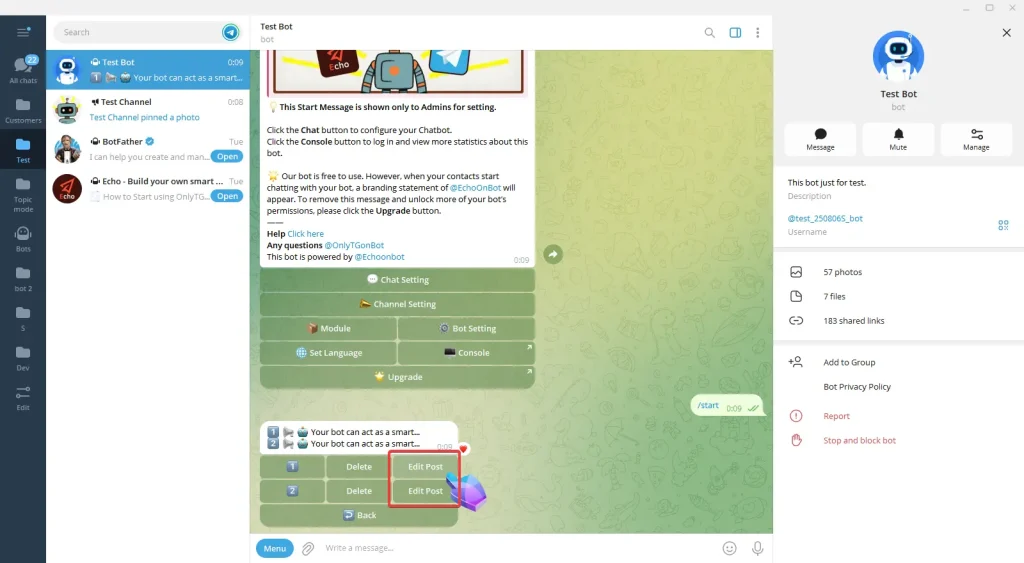
Click Edit Post next to the post you want to modify.
step 2
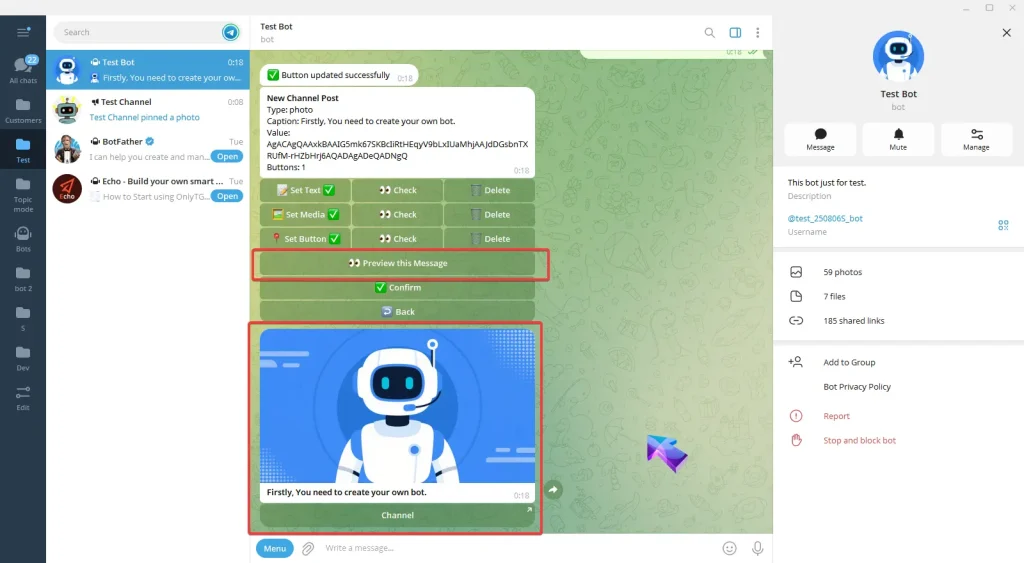
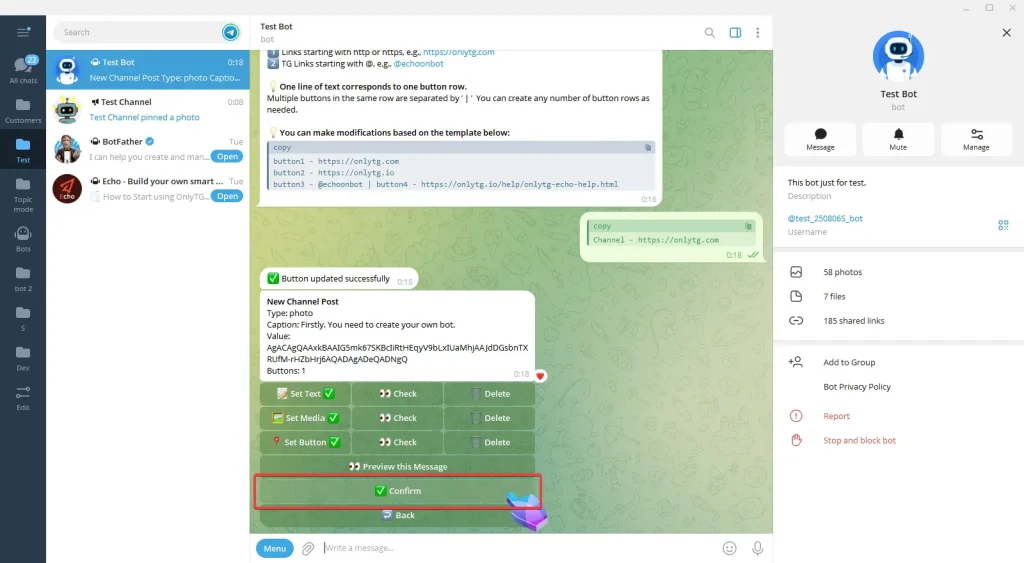
Now you can modify Text/Media/Button for your post.
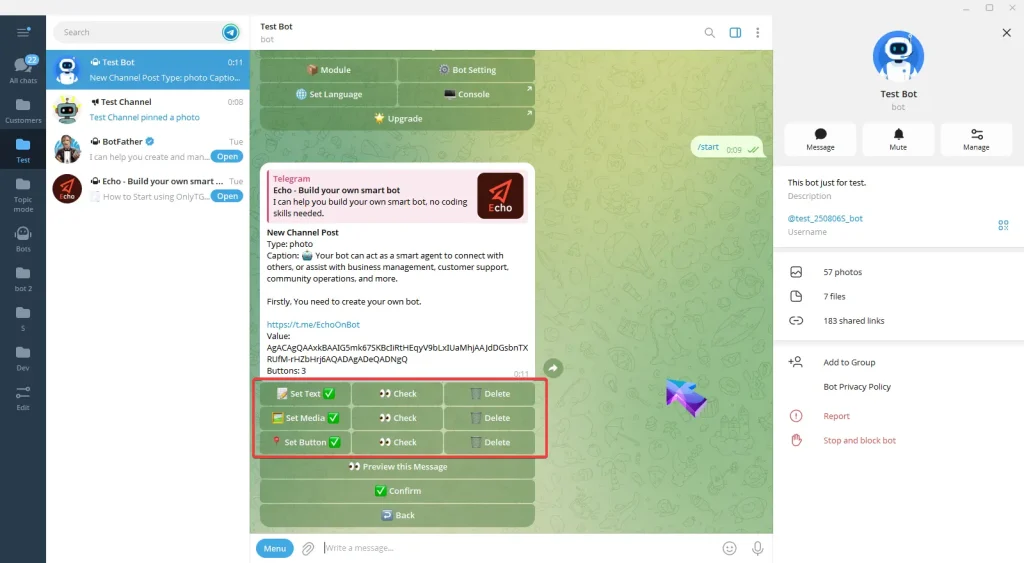
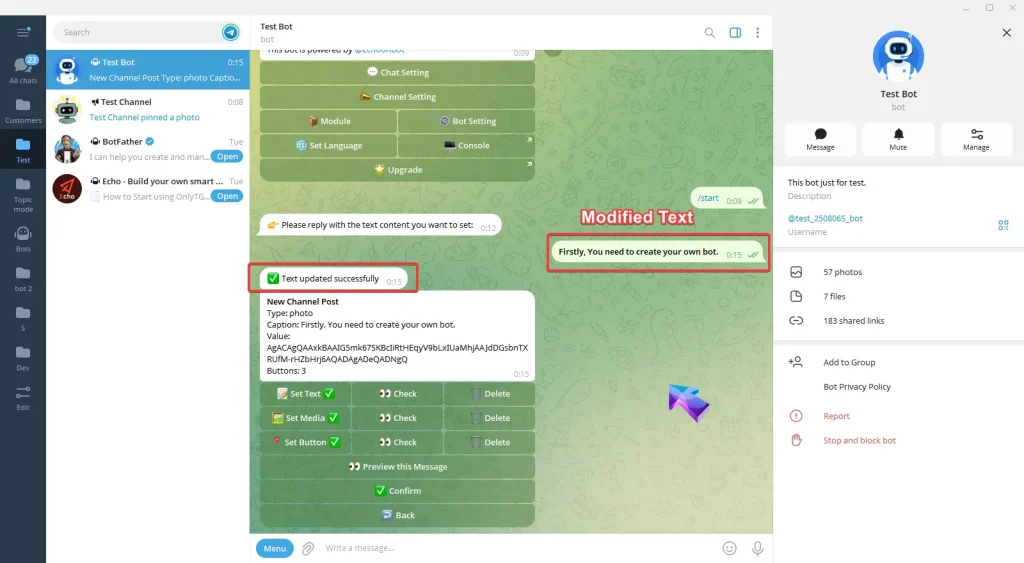
A. Set Text: Reply with your text. Once the update success message pops up, it means the process is complete.
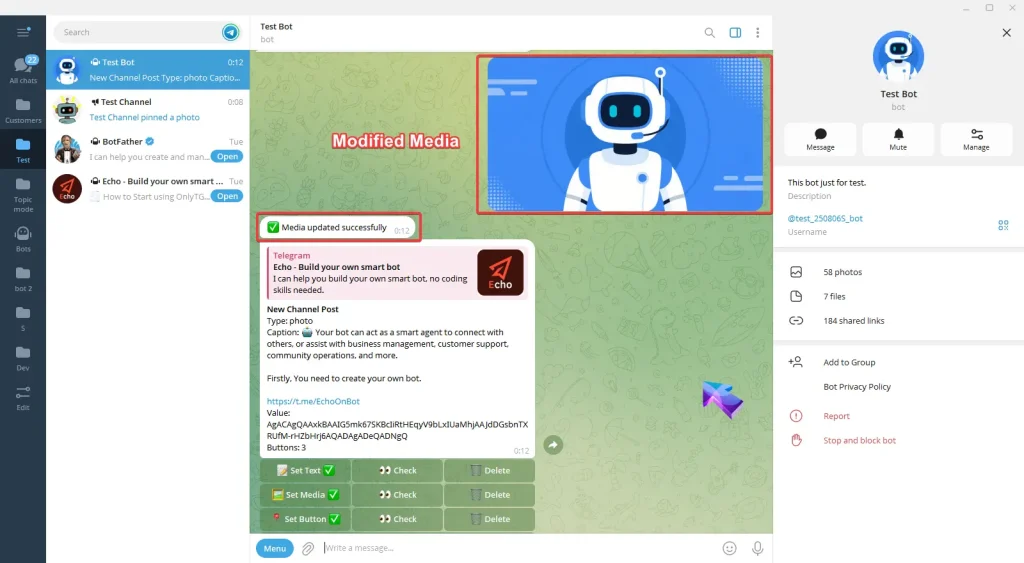
B. Set Media: Reply with the content you want to set: picture, video or file. Once the update success message pops up, it means the process is complete.
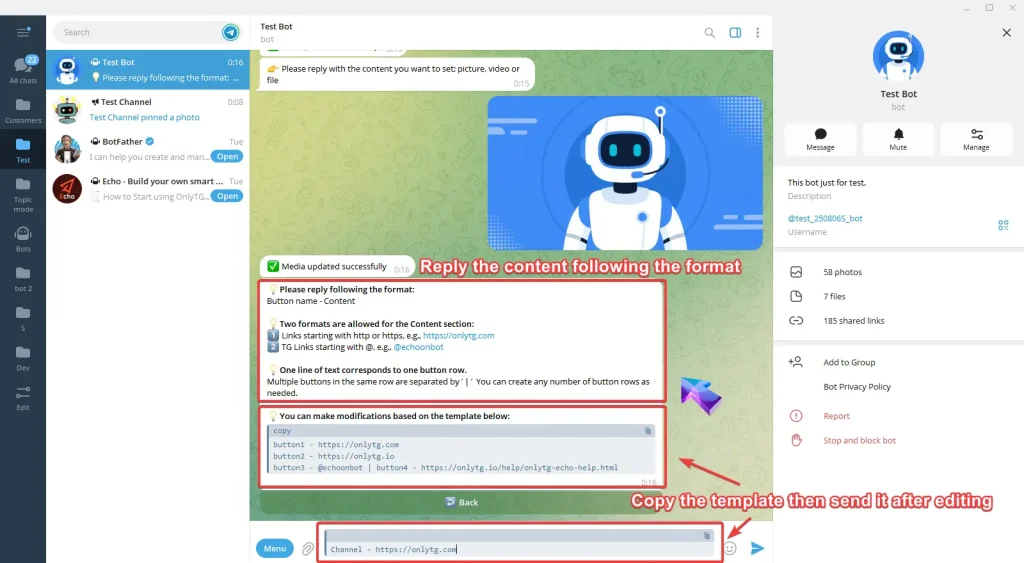
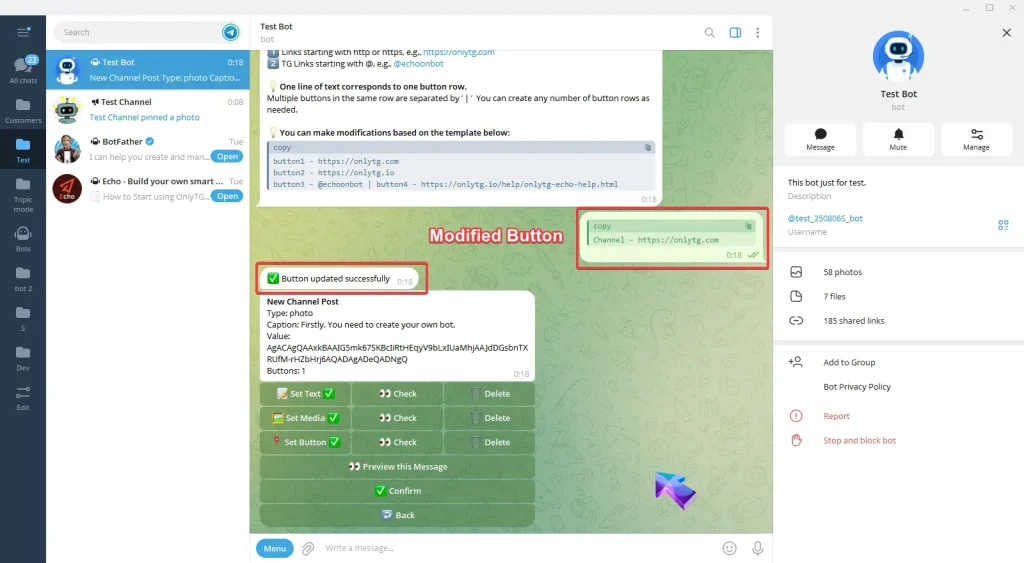
C. Set Button: Reply the content following the format in the prompt. You can also directly copy the template then send it after editing. Once the update success message pops up, it means the process is complete..
After completing the above configurations, click here to preview this message.
Click Confirm.
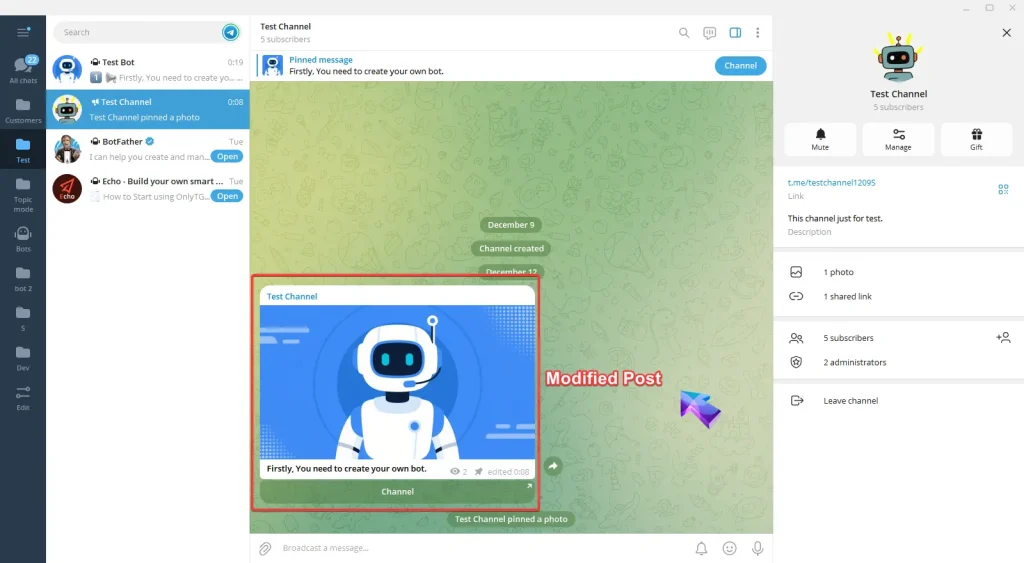
Return to the channel and you will see the post has been updated.
Create Your Own Telegram Bot with OnlyTG Echo!
OnlyTG Echo helps you build your own Telegram bot. Power up your connection on Telegram with strong features!
OnlyTG Echo Bot: https://t.me/echoonbot
Official Telegram Channel: https://t.me/onlytg